
How to Roll Back a Qlik Sense App to a Previous Version
Short answer: Qlik keeps no version history of whole apps, so a roll back is only as good as the copy you saved before the change. Qlik Cloud can restore earlier versions of the load script and, for 14 days, a deleted app. Sheets, master items and variables come back only from an exported QVF, a server backup or a Git commit. With Gitoqlok every commit is a restore point: pick the commit, click Update, and the app returns to that state; or restore just one sheet or one measure.
What do you need to undo?
| What went wrong | With Qlik alone | With Gitoqlok |
|---|---|---|
| A chart or sheet was broken | Re-import an older QVF as a new app and copy the sheet by hand | Time Machine: open the sheet at an older commit, Apply Commit; only that sheet changes |
| A master measure or dimension was changed | Same as above | Import the item from an older commit |
| The load script was broken | Qlik Cloud: History in the Data load editor → Restore this version. Enterprise: older QVF or backup | Update with Load script only, or import single script sections |
| The whole app is in a bad state | Re-import an older QVF; on Enterprise QMC Import with Replace existing app (replace apps) | Pick the last good commit and click Update (Update and Roll Back) |
| The app was deleted | Qlik Cloud: restore within 14 days through the API or Qlik Automate (support article). Enterprise: site restore, which brings back the whole site | Deploy from Git builds the app again from any commit, on any tenant or server |
| A bad release was published | Republish an older source app over the published copy | Roll back the source app, then republish it; see below |
Roll back with Gitoqlok
This works when the app has a repository with earlier commits. If it has none yet, create one now: the next bad change will have a way back.
- Open the app and the Gitoqlok panel. Click Refresh so the commit list is current.
- In the commit selector, pick the last version that worked. To check it first, open the sheet in Time Machine or compare it in the Diff Viewer.
- Open the arrow next to Update and choose what to restore: Load script, App Objects, Bookmarks, Attached files, Automations (Qlik Cloud).
- Click Update. If the app has uncommitted changes, choose Commit and Update to keep them in the history first.
Gitoqlok applies the commit through the Engine API: deleted objects come back, changed ones return to the committed version, objects added later are removed (the popup asks before deleting anything). Data is not reloaded; run a reload if the script changed.
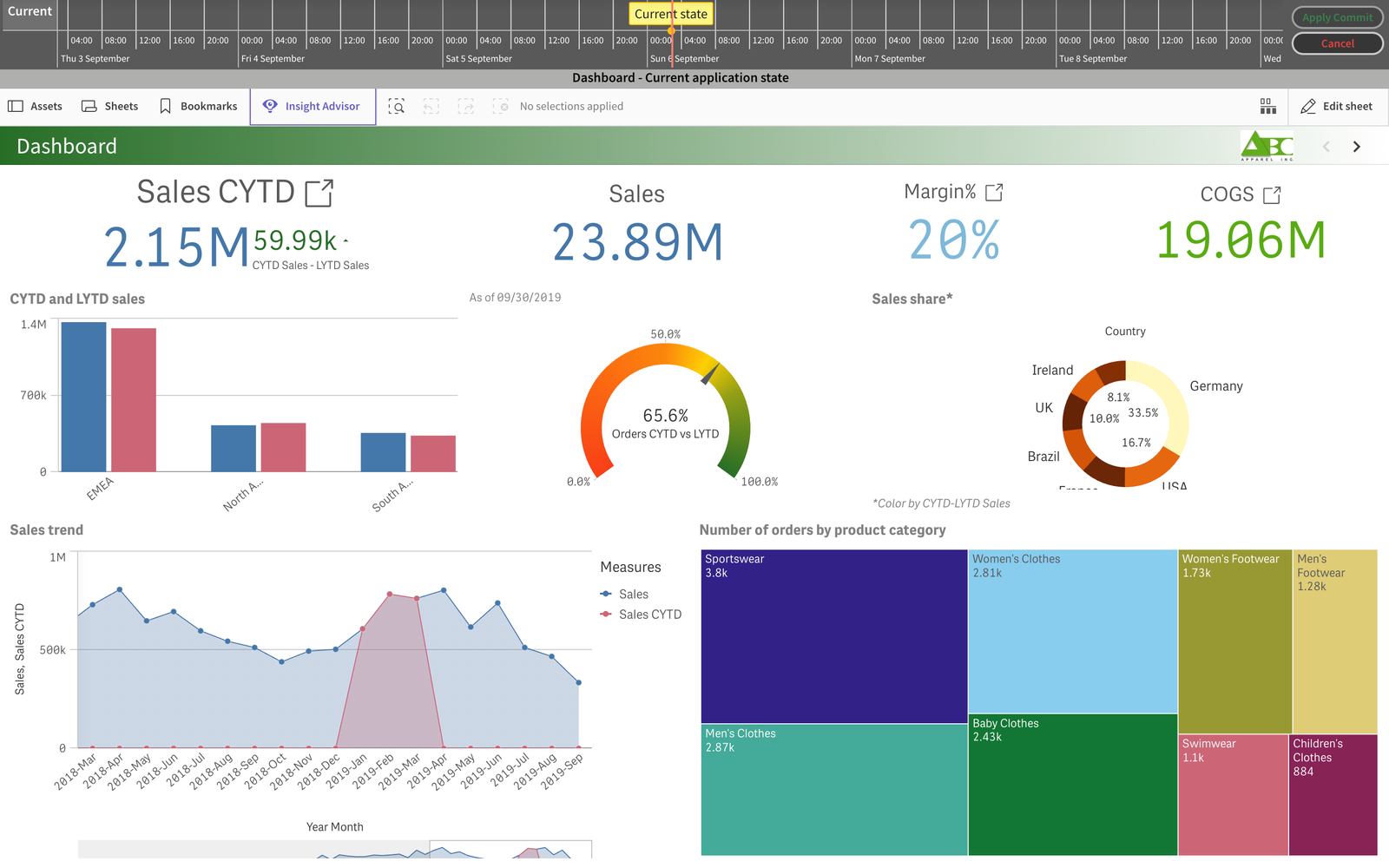
Roll back a published app
A published app is a copy of a source app, so the roll back happens in the source and is then republished.
- Qlik Cloud. Roll back the source app, then Publish to space → Republish over the copy in the managed space (managing apps in managed spaces). Variables created only in the published copy are removed on republish.
- Qlik Sense Enterprise. Roll back a duplicate of the published app and publish it with Replace existing app.
Gitoqlok can also run Update on a published app directly; it shows a warning first, because the recommended practice is to change a copy and republish. The Publish App button in the Gitoqlok header does the republish in one dialog (Publish, Move, Duplicate).
Data is a separate question
Git stores the design of the app: script, sheets, master items, variables. After a roll back, the data is whatever the next reload loads. If a bad reload is the problem, the fix is in the sources and QVDs; Rollback and Restore Previous Data Loads covers that case. When Save QVF every commit is on in Repository Settings, each commit also stores the QVF, and Deploy from Git → Import QVF restores the app from it, data included.
Make the next roll back easy
- Commit before every release and before every upgrade. Restore points before a Qlik upgrade shows the routine.
- Write why in the commit message, with a ticket number. In a roll back you choose by the message.
- Work on a copy. Each developer's copy is its own branch, so a bad change stays out of the published app until it is merged.
Give your next Qlik release a way back. Install Gitoqlok from the Chrome Web Store · free for up to 30 repositories
Related reading
- Version Control for Qlik Sense and Qlik Cloud: Your Options
- DevOps for Qlik Sense and Qlik Cloud
- Create Restore Points in Qlik Before an Upgrade
- Rollback and Restore Previous Data Loads in Qlik Sense
- Publish Over Any App in Qlik SaaS: Real Backup and Rollback
- Back Up and Restore Qlik Sense Apps Without Server Downtime
- Qlik Sense Teams Keep Duplicating Apps and Losing the Good Version
Frequently asked questions
Can I restore a previous version of a Qlik Sense app?
Qlik keeps no version history of whole apps. Qlik Cloud keeps a history of the load script only; sheets, master items and variables have none. To restore an earlier state you need a saved copy: an exported QVF, a server backup (Qlik Sense Enterprise) or a commit in Git. With Gitoqlok every commit is a restore point: pick it and click Update.
How do I restore a deleted app in Qlik Cloud?
An app deleted more than 45 minutes after it was created stays soft-deleted for 14 days. A tenant admin, or the owner if the space still exists, can restore it with the Restore a deleted analytics app API or the Qlik Automate template (Qlik support article). Apps deleted within 45 minutes of creation are removed immediately. If the app was committed with Gitoqlok, Deploy from Git rebuilds it from any commit at any time.
Can I roll back only one sheet or one measure?
Yes, with Gitoqlok. Time Machine shows a sheet as it was in any commit and Apply Commit restores only that sheet. Import brings single sheets, master items, variables or script sections back from an older commit without touching the rest of the app.
Does rolling back restore the data?
No. Gitoqlok restores the design of the app: load script, sheets, master items, variables. Data comes back with the next reload. If the QVF is saved with every commit, Deploy from Git can also rebuild the app from that QVF, data included.
How do I roll back a published app?
Roll back the source app, then republish it over the published copy: in Qlik Cloud with Republish to the managed space, on Qlik Sense Enterprise with Publish and Replace existing app. Gitoqlok can update a published app directly as well, after a warning.
Is Gitoqlok free?
Gitoqlok is free to install and use for up to 30 repositories per organization. Gitoqlok Platinum removes the limit; a 30-day trial is free: request one.