
AI Integration
Ask AI generates titles and descriptions for sheets and master items, explains load script errors and writes app documentation. It needs an API key of an AI provider that you supply; Gitoqlok never routes requests through its own servers.
Configure a provider
Open the Options page → Third-party Integrations → AI Integration.
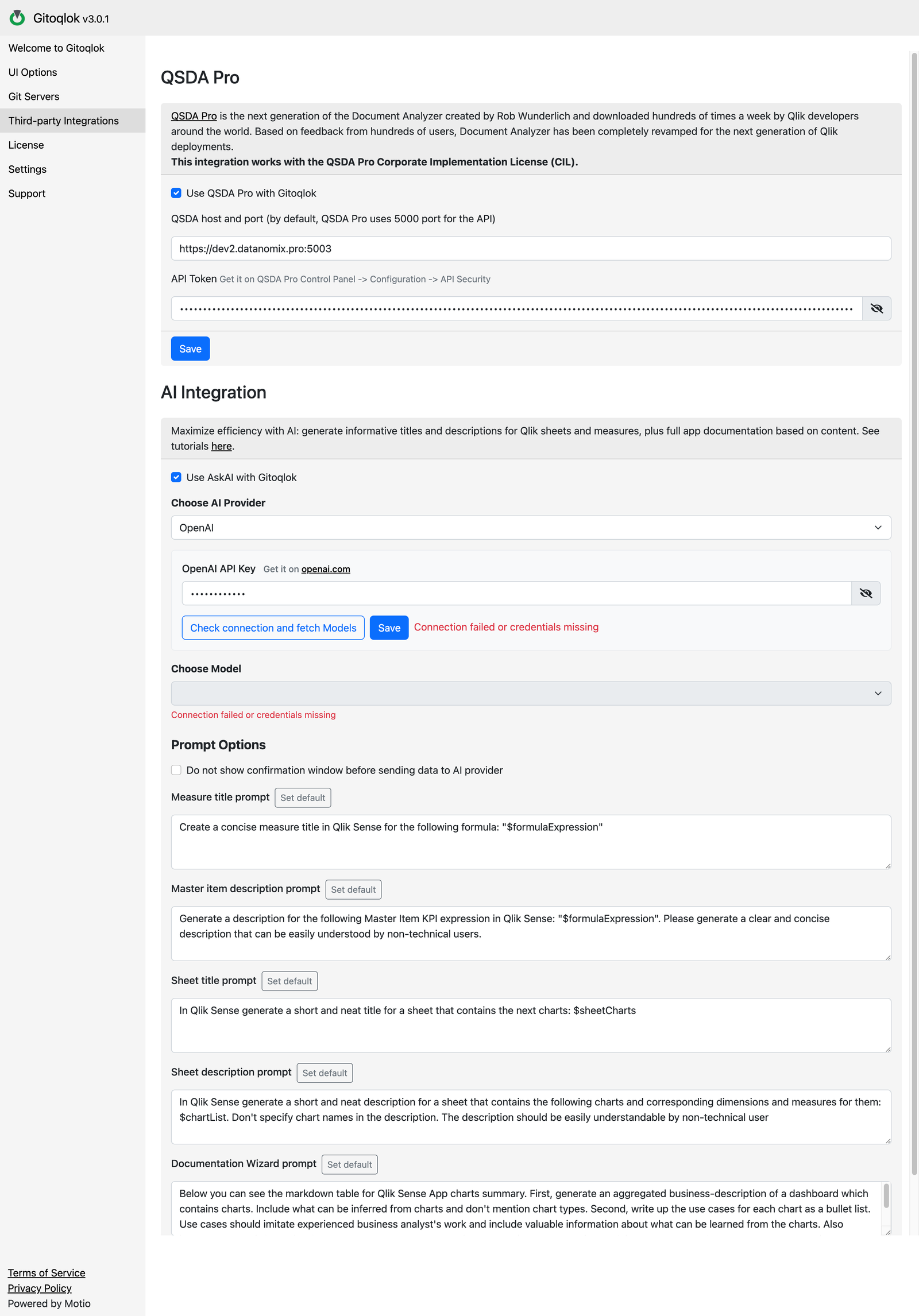
Enable Ask AI
Tick Use AskAI with Gitoqlok.
Choose the provider
| Provider | Where to get the key | Notes |
|---|---|---|
| OpenAI | platform.openai.com | An OpenAI API subscription is separate from a ChatGPT subscription; the API has its own usage-based billing and rate limits |
| Google Gemini | Google AI Studio | |
| Claude AI | Anthropic Console | |
| Microsoft Copilot | Azure Portal | Azure OpenAI Service: enter the Endpoint URL and API Key of your deployment |
| Self-hosted Model | Your own OpenAI-compatible server | Enter the Model Endpoint URL and an optional API key |
Enter the key and pick a model
Paste the key and click Check connection and fetch Models. Pick a model from the Choose Model list and click Save.
Prompt options
- Do not show confirmation window before sending data to AI provider — by default every Ask AI click opens a dialog with the exact prompt, so you can review what leaves the browser. Tick this to skip the dialog.
- The editable prompts: Measure title, Master item description, Sheet title, Sheet description, Documentation Wizard. Change them to match your naming conventions or language, then click Save.
Where Ask AI appears
| Place | Requires |
|---|---|
| Master measure editor: generate a title from the expression, a description from the expression | Qlik Helper |
| Sheet properties: generate the title from the charts, the description from the title | Qlik Helper |
| Data Load Editor: Explain next to a load error | Qlik Helper |
| Documentation Wizard tab | linked repository |
See Ask AI.
Limits
Without a license, Gitoqlok allows 30 Ask AI requests per 24 hours. A Platinum license removes the limit. The provider's own rate limits and billing still apply.
Managed by your organisation
If your administrator deployed an AI policy, the section shows Managed by your organisation: the provider and key may be fixed, some providers hidden, or Ask AI disabled entirely with a message from the administrator.