
Repository Settings
The Settings tab of the Options page holds the defaults Gitoqlok uses when it creates repositories, branches and commits. Every Git server profile has its own set of settings; pick the profile with the buttons at the top of the tab.
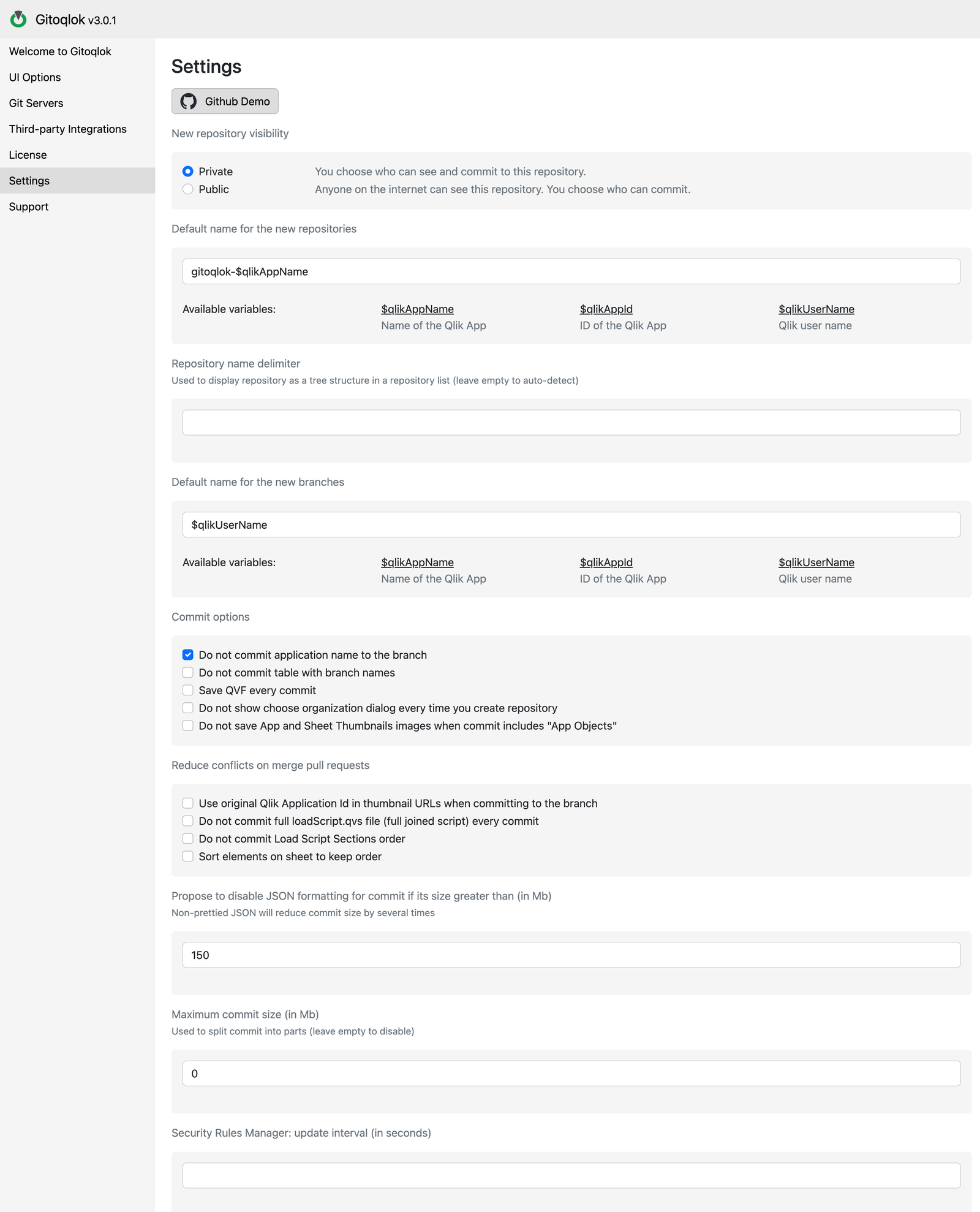
New repository visibility
- Private — only you (and the collaborators or organization members you grant access to) can see and commit to the repository.
- Public — anyone on the internet can read the repository; you still choose who can commit.
Default name for the new repositories
The pattern used to prefill the repository name when you create a repository from an app. Variables:
| Variable | Value |
|---|---|
$qlikAppName | Name of the Qlik app (spaces are removed) |
$qlikAppId | ID of the Qlik app |
$qlikUserName | Qlik user name |
The default gitoqlok-$qlikAppName turns the app Customer Sales into gitoqlok-CustomerSales. You can always edit the name in the popup before clicking Create Repository.
Repository name delimiter
Gitoqlok shows repository lists as a tree (in Connect to existing repository, Import, Deploy from Git, Sheets Comparator and so on). The delimiter splits repository names into folders: with - the repository gitoqlok-Finance-PnL appears as gitoqlok → Finance → PnL, next to gitoqlok-Finance-Budget. Leave the field empty to let Gitoqlok auto-detect the delimiter (., - or _), or set one explicitly. Tick Tree view off in any repository list to see plain names.
Default name for the new branches
The pattern used when a copy of an app is connected as a branch (see Branches). The same variables as above are available; the default $qlikUserName names the branch after the developer.
Commit options
| Option | Effect |
|---|---|
| Do not commit application name to the branch | Skips writing the app name into the branch metadata |
| Do not commit table with branch names | By default README.md contains a table Branch name → Qlik application; this turns it off |
| Save QVF every commit | Exports the app as .qvf and stores it in the build folder of the repository on every commit. Useful as a binary backup; increases repository size quickly. The same option is available per commit in the Export .qvf file section of Local Changes |
| Do not show choose organization dialog every time you create repository | Always create repositories in the space selected in the profile |
| Do not save App and Sheet Thumbnails images when commit includes "App Objects" | Skips the thumbnail images in appcontent |
Reduce conflicts on merge pull requests
These options make files more stable between branches so that pull requests merge cleanly:
| Option | Effect |
|---|---|
| Use original Qlik Application Id in thumbnail URLs when committing to the branch | Thumbnail URLs in a branch point to the master app ID instead of the copy's ID, so they do not differ from the main branch |
| Do not commit full loadScript.qvs file (full joined script) every commit | Only the per-section .qvs files are committed |
| Do not commit Load Script Sections order | Skips data_load_script/tab_order.txt |
| Sort elements on sheet to keep order | Sorts the objects inside sheet JSON files deterministically |
Size limits
- Propose to disable JSON formatting for commit if its size greater than (in Mb) — above this size Gitoqlok offers to commit minified JSON, which is several times smaller. Default 150.
- Maximum commit size (in Mb) — splits a commit into several parts when it exceeds the value. Leave
0to disable. - Security Rules Manager: update interval (in seconds) — how often the Security Rules Manager refreshes the rules list.
Click Save at the bottom to apply.
Video tutorial
Repository grouping with a name delimiter: