
Git Servers
A Git server profile tells Gitoqlok where your repositories live and which token to use. You can keep several profiles (for example, a GitHub profile for personal work and a GitLab profile for the company) and switch the active one at any time.
Supported providers
| Provider | Authentication | Default API URL |
|---|---|---|
| GitHub (github.com and GitHub Enterprise) | Personal access token, scope repo | https://api.github.com |
| GitLab (gitlab.com and self-managed) | Personal access token, scope api | https://gitlab.com/api/v4 |
| Bitbucket Cloud | API token with scopes (recommended) or App password | https://api.bitbucket.org/2.0 |
| Bitbucket Server / Data Center | HTTP access token, scope admin | http://bitbucket-server.domain/rest/api/1.0 |
| Azure DevOps | Personal access token, Full access | https://dev.azure.com/{organization} |
| AWS CodeCommit | IAM access key ID and secret | Region, e.g. us-east-2 |
| Gitea | Access token, full scope | https://try.gitea.io/api/v1 |
The Git Servers tab
Open the Options page and click Git Servers.
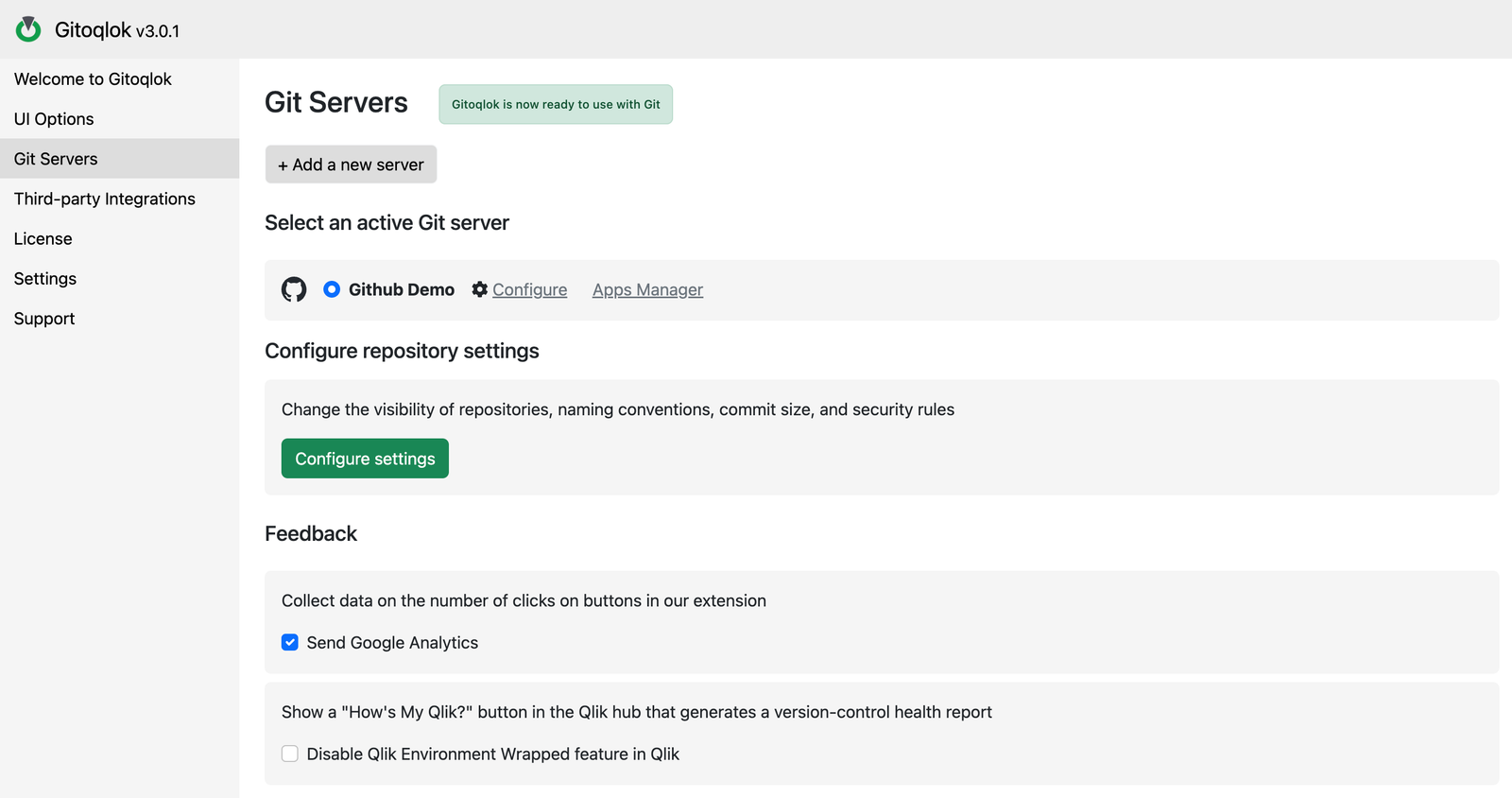
- + Add a new server opens the profile form.
- The list below shows every profile. The radio button marks the active profile: all Gitoqlok features use it. Configure reopens the form; Apps Manager starts bulk repository creation with this profile.
- Configure settings leads to the per-profile Repository Settings (visibility, naming, commit options).
- Feedback: the Send Google Analytics check box controls anonymous click statistics; Disable Qlik Environment Wrapped feature in Qlik hides the How's My Qlik? button in the hub.
The profile form
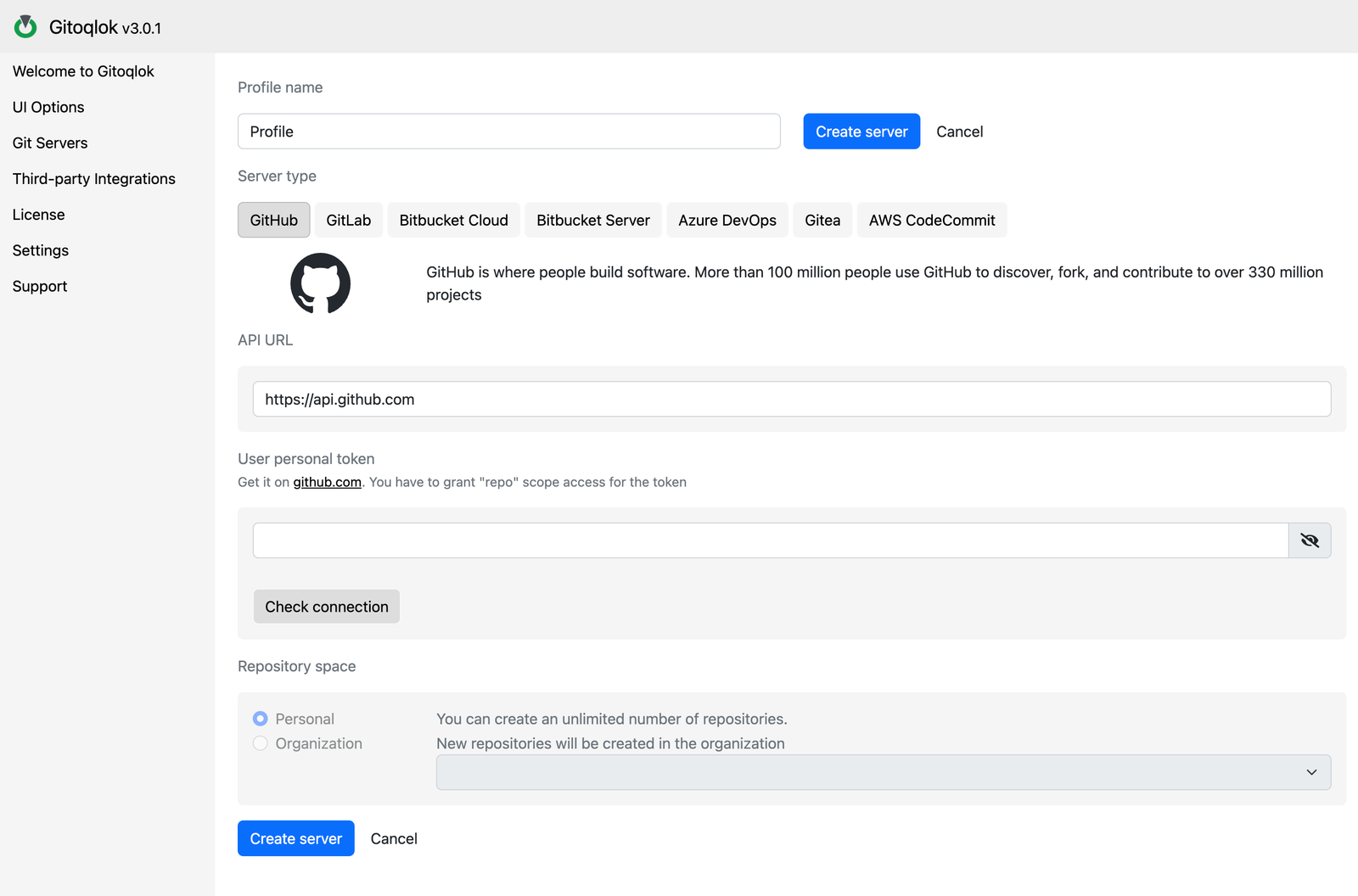
| Field | Meaning |
|---|---|
| Profile name | Any label; it is shown in the profile list and in the Settings tab |
| Server type | The provider; it changes the fields below and the default API URL |
| API URL | Endpoint of the provider's REST API. Keep the default for cloud providers; enter your own host for self-hosted GitLab, GitHub Enterprise, Bitbucket Server and Gitea |
| User personal token (or email + token, or access key + secret) | The credential Gitoqlok uses. It is stored encrypted in the local extension storage and is never sent anywhere except the API URL above |
| Check connection | Verifies the token and reports missing scopes |
| Repository space | Personal — new repositories are created under your user account. Organization — new repositories are created in the selected organization, workspace, group or project |
Click Create server to save. Gitoqlok then offers to open the Apps Manager; you can skip it.
Organizations and teams
If several developers work on the same apps, use the Organization space and the same provider in every developer's profile. Repositories in personal accounts must have collaborators added by hand. See Team Workflow.
Switching profiles
Select another radio button in the list. The popup and the side panel pick up the active profile the next time they open. Repositories created with another profile are still linked to their apps: Gitoqlok looks them up in the active profile only, so switch back to the right profile to see them.
Removing a profile
Click Configure on the profile and use the delete action at the bottom of the form. Deleting a profile does not touch the repositories on the Git server.