
Pre-deployment Checklist
The Pre-deployment Checklist is a list of things to verify before an app goes to production: data model hygiene, visualization performance, naming, documentation. Gitoqlok ships a default checklist and community checklists; you can write your own and share them.
Open it
- Popup or side panel → Tools → Pre-deployment Checklist.
- The Pre-deployment Checklist button in the Gitoqlok Helper bar on the app overview.
- Extension icon menu → Tools → Pre-deployment Checklist (opens the side panel).
- The Apps Checklist button in the Publish App dialog.
Use a checklist
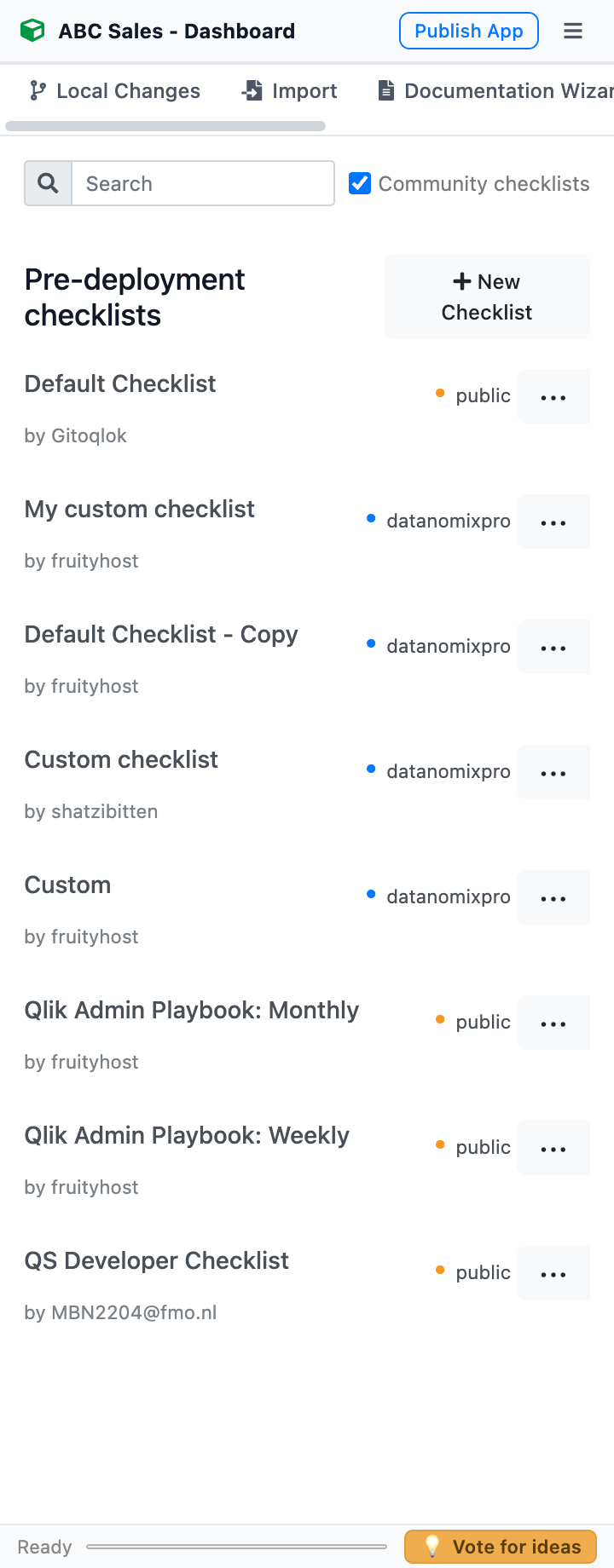
The landing page lists Pre-deployment checklists: the Default Checklist by Gitoqlok, checklists shared by your organization (marked with the organization name) and, with Community checklists ticked, checklists shared publicly by other users. Search by name.
Open a checklist. It is organised as Section → Item → Description; tick items as you verify them, and a section turns green when all its items are done. Links in descriptions open with Ctrl + click. The check marks are stored per app, so you can continue later. Sections that contain a QSDA Pro performance check-up run the QSDA Pro analysis when the integration is configured.
Create your own
Click + New Checklist. Give it a name, add sections and items with concise names and helpful descriptions, drag sections to reorder, optionally add the QSDA Pro check-up, and click Save. The checklist is Saved locally — visible to you only.
Any existing checklist can be used as a template: ⋯ → Duplicate and edit creates an editable copy.
Share
⋯ → Share (or Share inside the checklist) opens Select checklist visibility:
- Everyone — every Gitoqlok user can view, use and copy the checklist.
- For your organization — the checklist is stored in a repository of the selected organization of your Git profile; members of that organization see it with the organization tag.
Sharing needs a configured Git server: the author name comes from the Git user, and organization checklists are stored in Git. Reshare with another visibility to republish.
Edit and delete
Open your checklist, click Edit, change it and Save; a shared checklist is republished. Delete removes it (and its shared copy).