
Sheets Comparator
The Sheets Comparator works on the app overview. It compares the sheets of the app with a branch and commit of a repository and colours the sheet cards: green for sheets that are new in the app, yellow for sheets that differ. From a highlighted sheet you jump into Time Machine or the Diff Viewer.
Click Compare Sheets
On the app overview click Compare Sheets in the Gitoqlok Helper bar and select the repository.
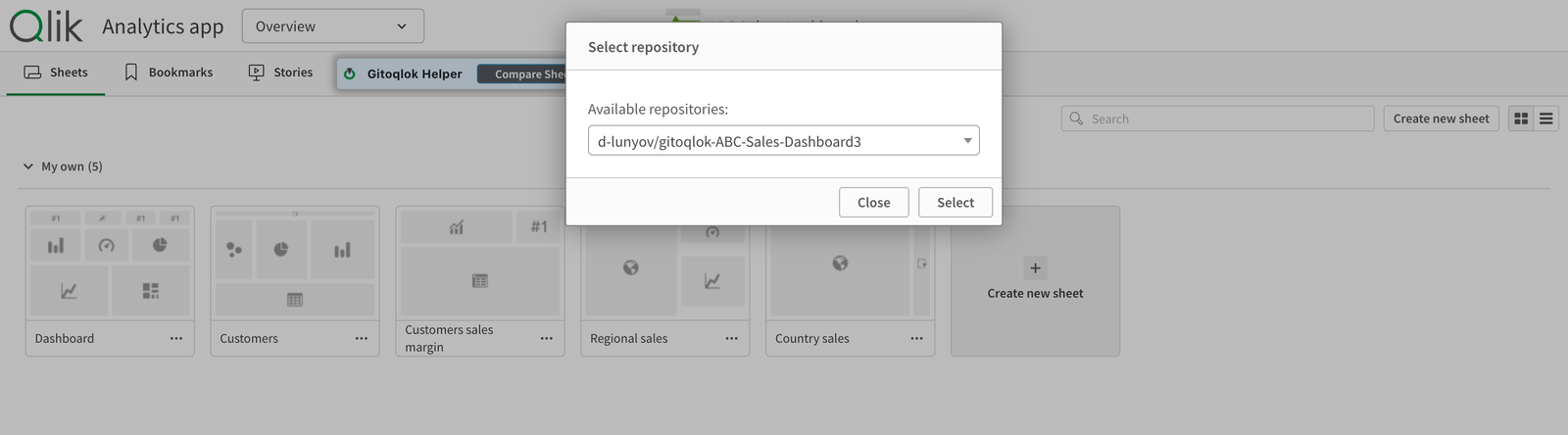
Choose branch and commit
The Helper bar extends with a branch selector and a commit selector.
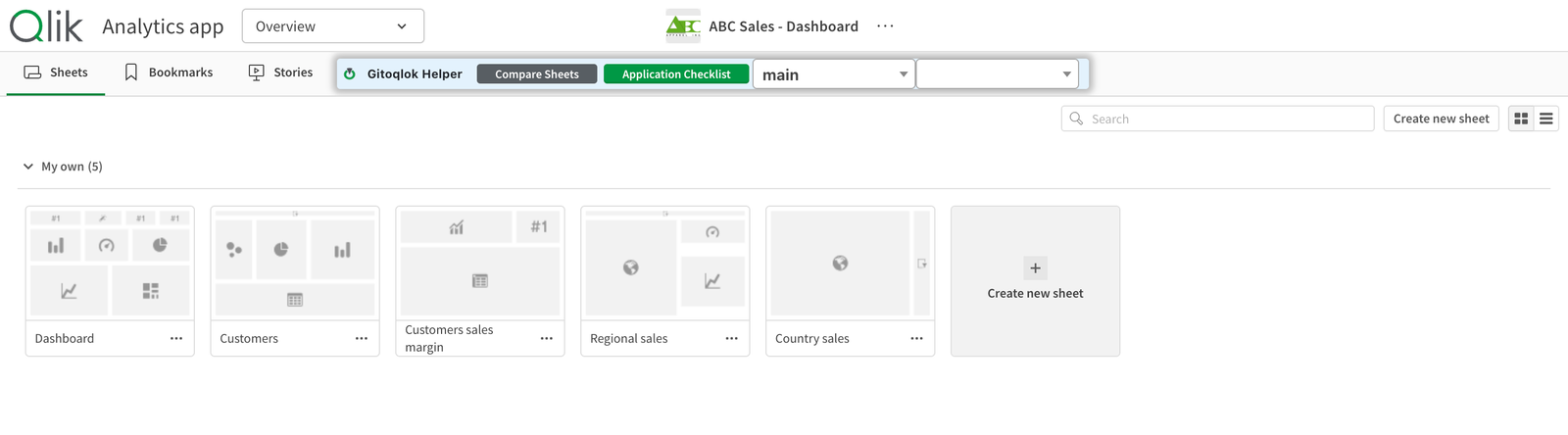
Read the highlights
Hover a sheet card: the tooltip says whether the sheet is new or has changes. Open a changed sheet and use the Helper button to inspect the difference in Time Machine or the Diff Viewer, where you can merge the changes.
Typical use
Two developers work on copies of the same app, each on their own branch. Before merging, the app owner opens the master app, compares it with the colleague's branch, sees at a glance which sheets were touched and merges chart by chart in the Diff Viewer. See Team Workflow.