
Pre-deployment Checklist for Power BI
Power BI service
Besides Qlik, Gitoqlok offers its Pre-deployment Checklist to Power BI users: open a report in the Power BI service (app.powerbi.com) and the checklist is available in the popup and in the side panel. It is the only Gitoqlok tool on Power BI pages.
Open it
Open a report in the Power BI service and either
- click the Gitoqlok icon in the browser toolbar — the popup opens directly on the Pre-deployment Checklist tab (no other tabs are shown), or
- right-click the icon → Open Side Panel (or Tools → Pre-deployment Checklist) to keep the checklist next to the report while you work, or
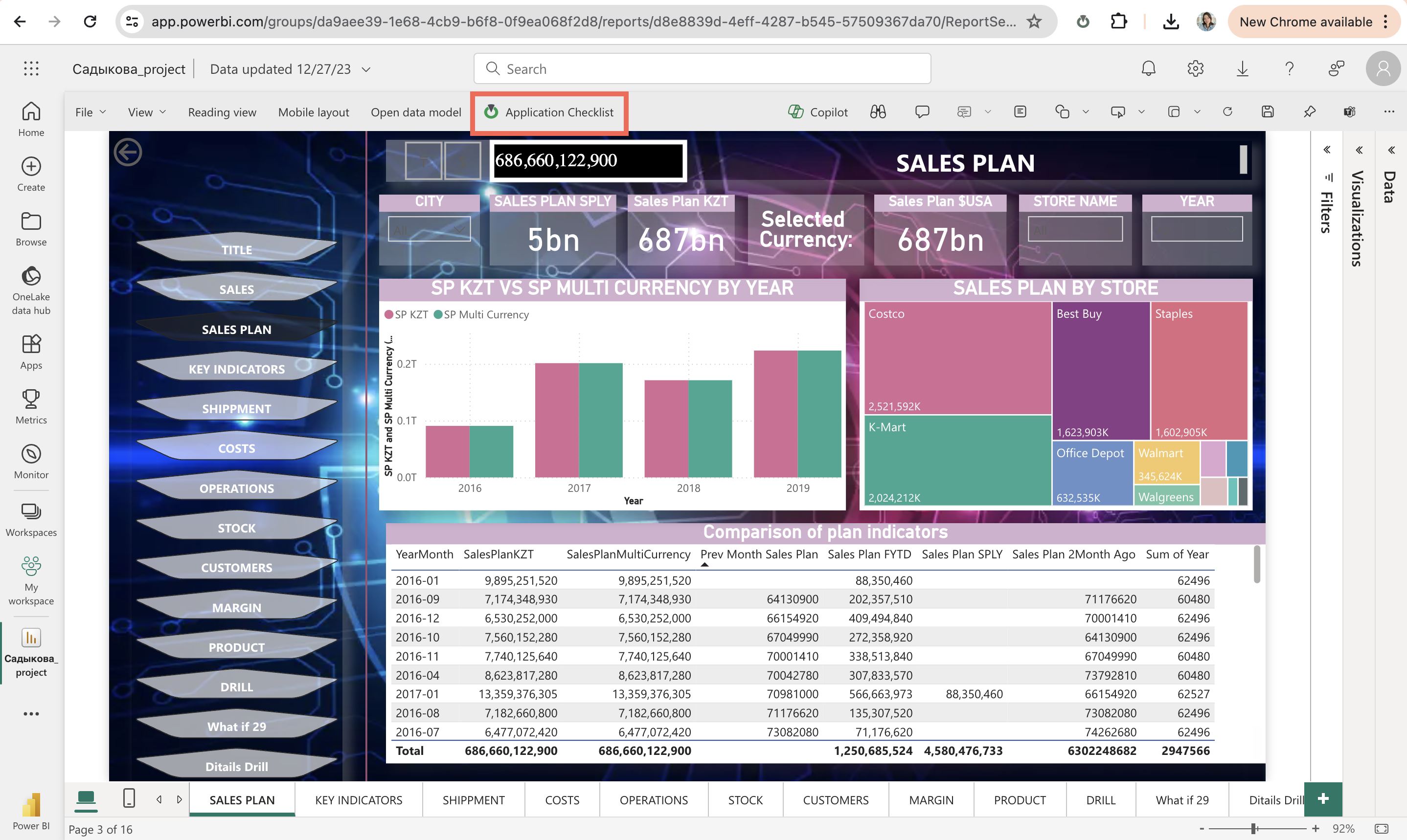
- in the report's edit mode click the Pre-deployment Checklist button Gitoqlok adds to the report toolbar.
Use a checklist
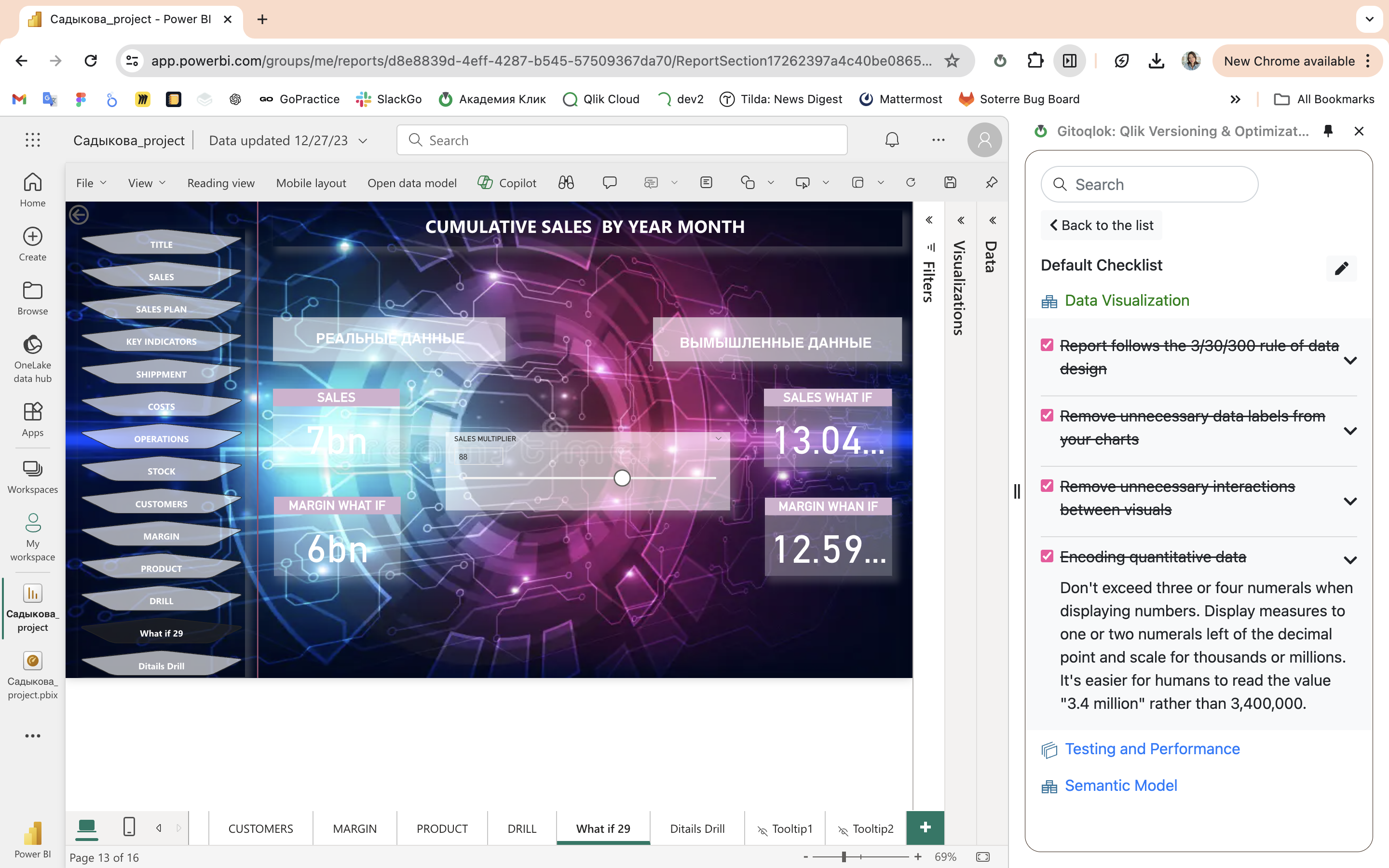
The landing page lists the pre-deployment checklists available for Power BI: the Default Checklist by Gitoqlok with best practices for report authors (visual count and layout, data model performance, testing) and, with Community checklists ticked, checklists shared by other users.
Each checklist is organised as Section → Item → Description. Tick items as you verify them; a section turns green when all its items are done. Links in descriptions open with Ctrl + click. Progress is stored per report.
Create your own
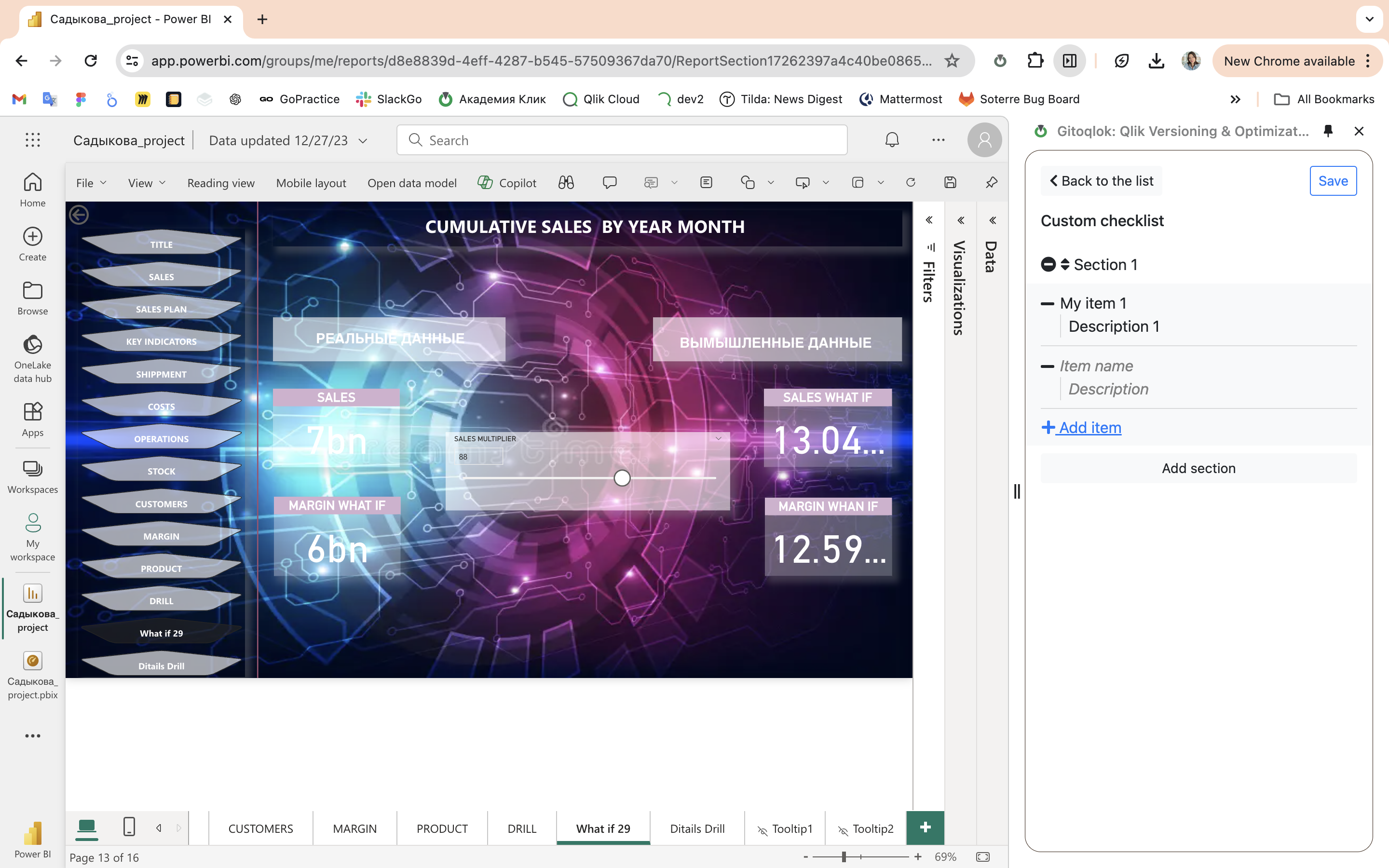
Click + New Checklist, enter sections and items with concise names and helpful descriptions, drag sections to reorder, and click Save. The checklist is saved locally and is visible to you only.
Sharing a checklist with your organization or with everyone works as for Qlik and needs a configured Git server — see Pre-deployment Checklist → Share.