
Bitbucket Server
Qlik Cloudsupported Qlik Sense Enterprisesupported Git serverrequired
Create an HTTP access token
In Bitbucket Server open your profile → Manage account → HTTP access tokens (https://<your-host>/plugins/servlet/access-tokens/manage) → Create token. Grant Admin permission for projects and repositories so that Gitoqlok can create repositories. Copy the token.
Add the server profile
Options page → Git Servers → + Add a new server → Bitbucket Server.
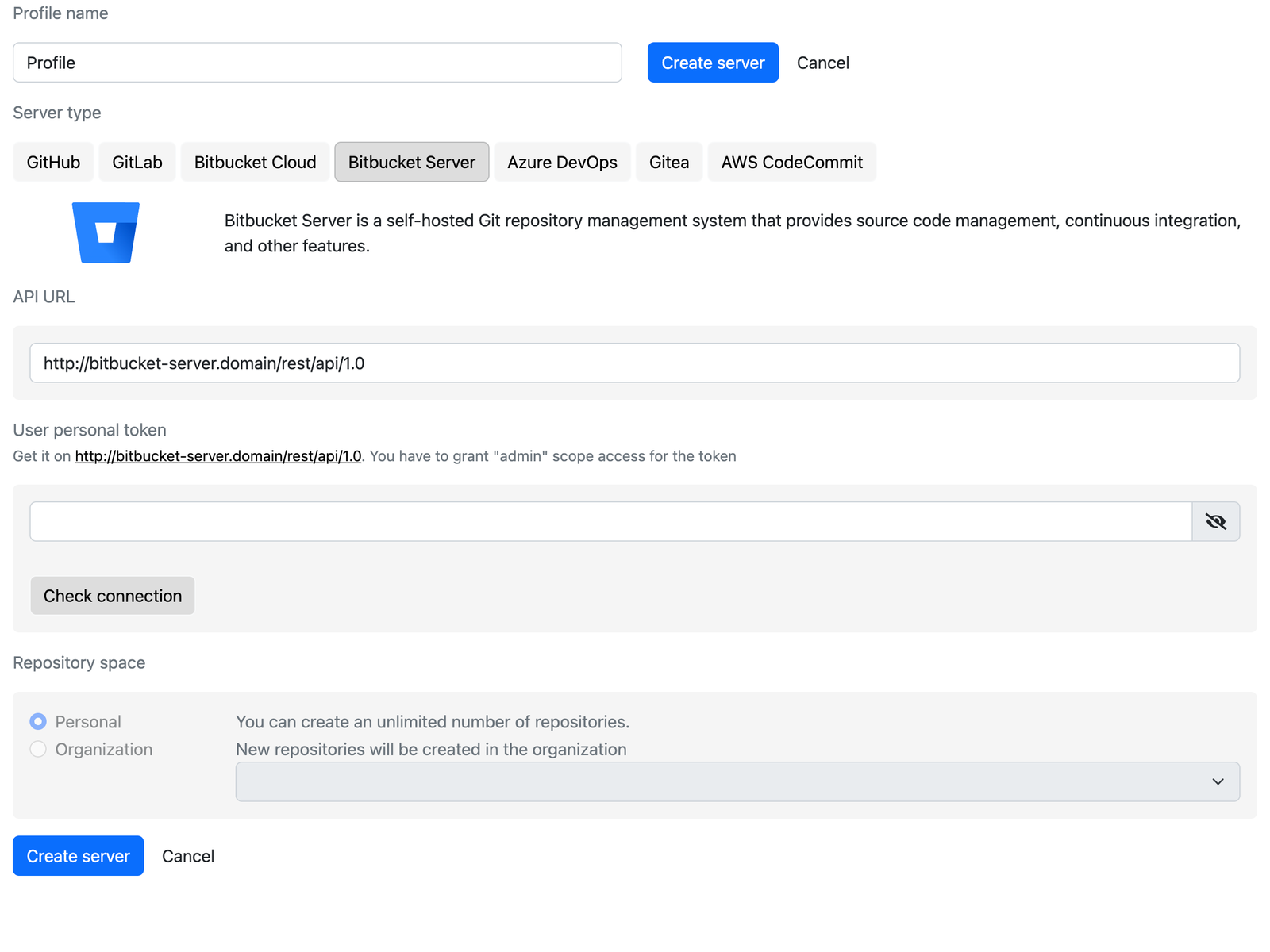
- API URL: the REST endpoint of your instance, for example
https://bitbucket.example.com/rest/api/1.0. - User personal token: paste the token and click Check connection. The link under the field opens the token page of the host you entered.
Choose the repository space
Organization lists the projects of the server; new repositories are created in the selected project. Personal uses your personal project (~username).
Create the server
Click Create server.
Notes
- The Bitbucket Server REST API can commit only one file per request. Committing an app with hundreds of objects therefore takes minutes rather than seconds. Consider enabling Do not commit full loadScript.qvs file and Do not save App and Sheet Thumbnails images in Repository Settings to reduce the number of files.
- Your browser must be able to reach the API URL; self-signed certificates must be trusted by the browser.