
AWS CodeCommit
Qlik Cloudsupported Qlik Sense Enterprisesupported Git serverrequired
Create an IAM user with access keys
In the IAM console create a user (or use an existing one) with the managed policies AWSCodeCommitPowerUser and IAMReadOnlyAccess. Create an access key for programmatic access and note the Access key ID and the Secret access key.
Add the server profile
Options page → Git Servers → + Add a new server → AWS CodeCommit.
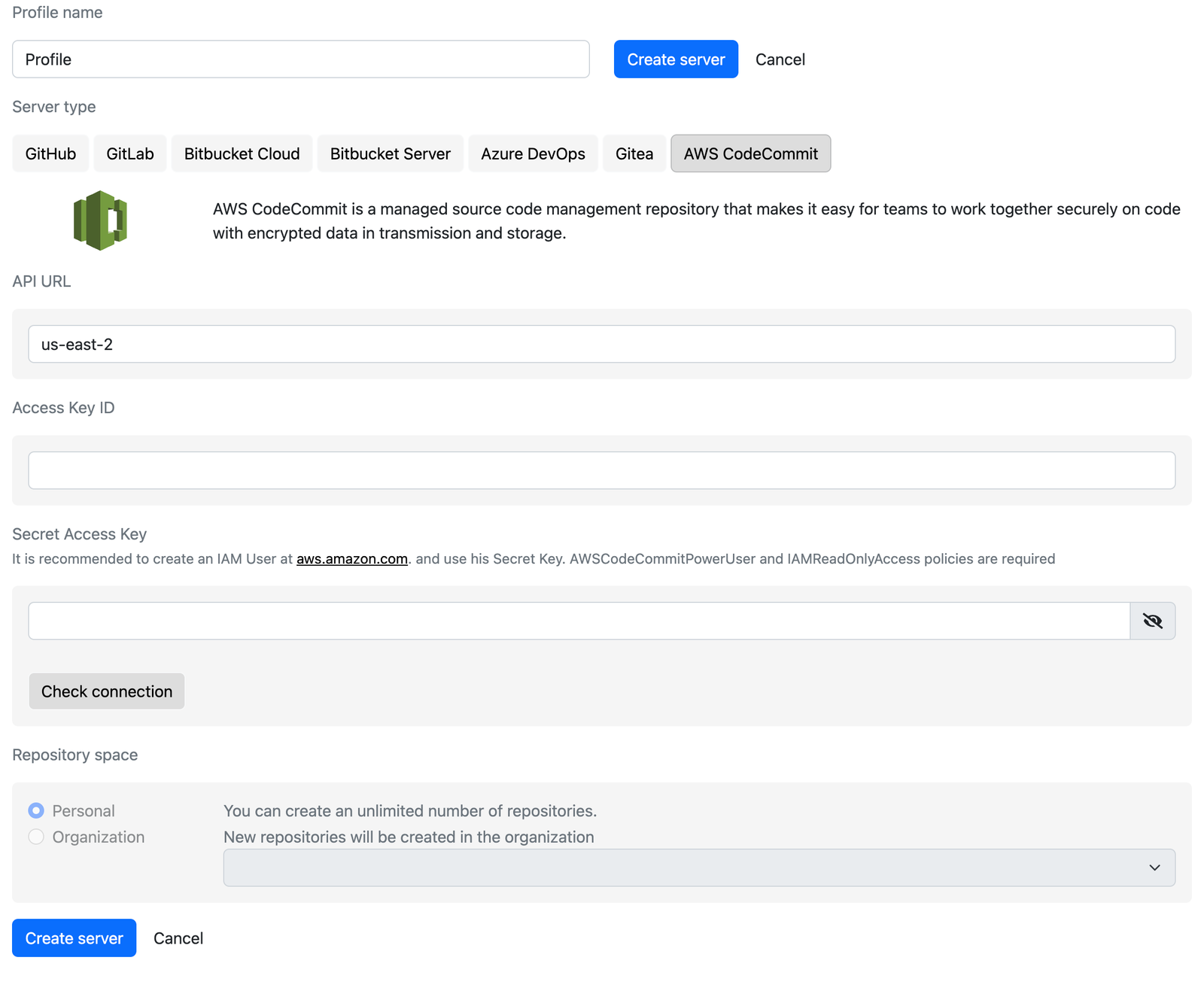
- API URL: the AWS region of your repositories, for example
us-east-2oreu-central-1. - Access Key ID and Secret Access Key: the values from the previous step. Click Check connection.
Create the server
Click Create server. CodeCommit has no organizations; the repository space is always the AWS account of the keys.
Notes
- Gitoqlok uses the AWS SDK in the browser; the keys are stored encrypted in the local extension storage like any other token.
- CodeCommit accepts at most 100 files per commit. Gitoqlok splits larger commits automatically, so commits of big apps take longer.
- AWS has announced that CodeCommit is no longer available to new customers. Existing repositories keep working.