
Gitea
Qlik Cloudsupported Qlik Sense Enterprisesupported Git serverrequired
Create an access token
In Gitea open Settings → Applications (https://<your-host>/user/settings/applications) and generate a token with full scope (read and write on repositories, organizations and user). Copy it.
Add the server profile
Options page → Git Servers → + Add a new server → Gitea.
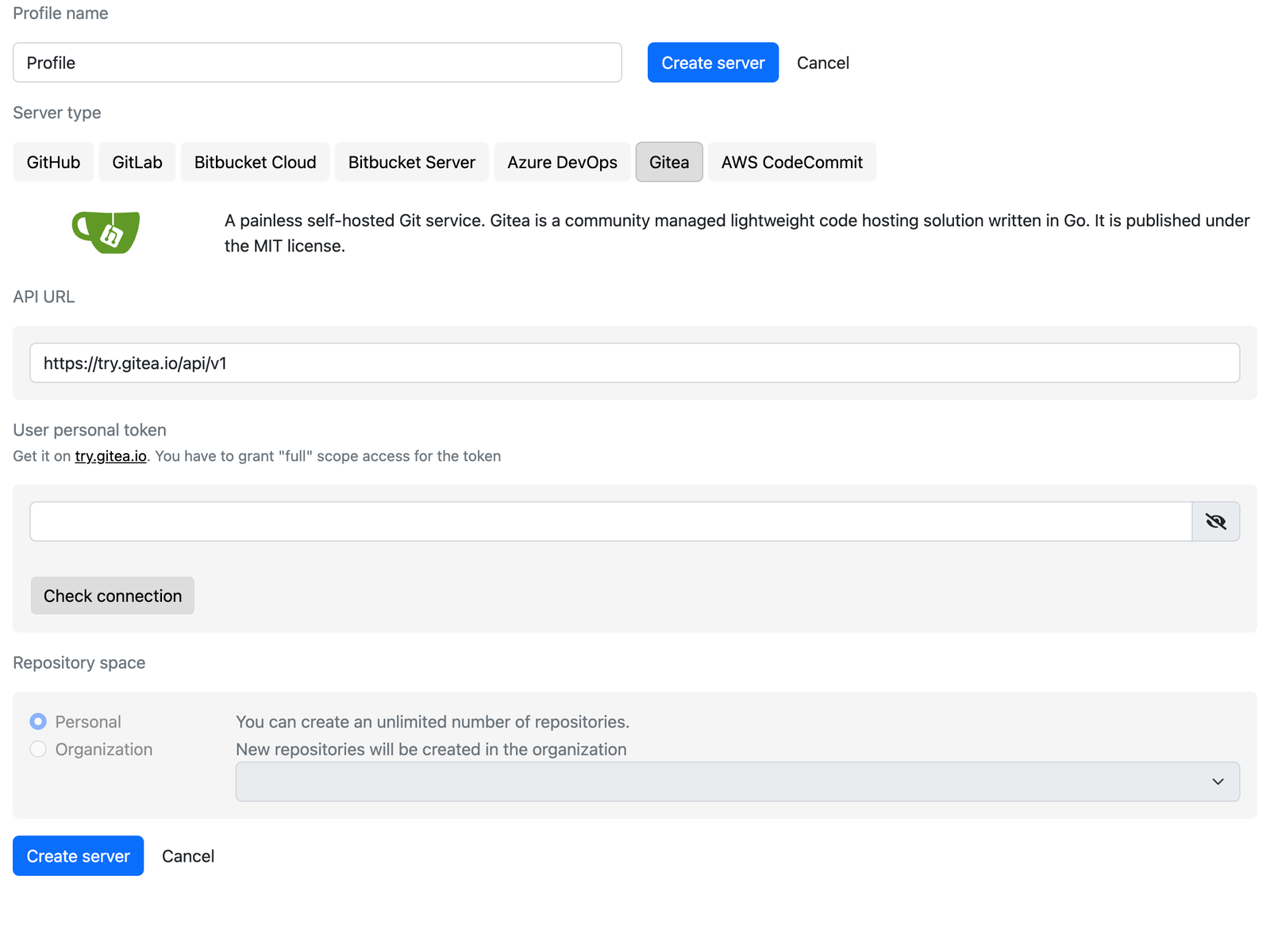
- API URL:
https://<your-host>/api/v1. The public demo instance ishttps://try.gitea.io/api/v1. - User personal token: paste the token and click Check connection.
Choose the repository space
Personal or an Organization of the instance.
Create the server
Click Create server.
Notes
- Forgejo and other Gitea forks with a compatible API work with the same profile type.
- Gitea's default branch name follows the instance setting (
mainormaster); Gitoqlok reads it from the repository.