
QSDA Pro Integration
QSDA Pro (Qlik Sense Document Analyzer) by Rob Wunderlich analyses apps for quality, performance and best-practice issues. Gitoqlok can show its analyses in the QSDA Pro tab, start new analyses and attach QSDA flags to charts in QSDA Calctime.
Configure the connection
Get the API token
In the QSDA Pro control panel open Configuration → API Security and copy the API token. QSDA Pro serves its API on port 5000 by default.
Enter the server
Options page → Third-party Integrations → QSDA Pro. Tick Use QSDA Pro with Gitoqlok, enter QSDA host and port (for example https://qsda.example.com:5000) and the API Token, then click Save.
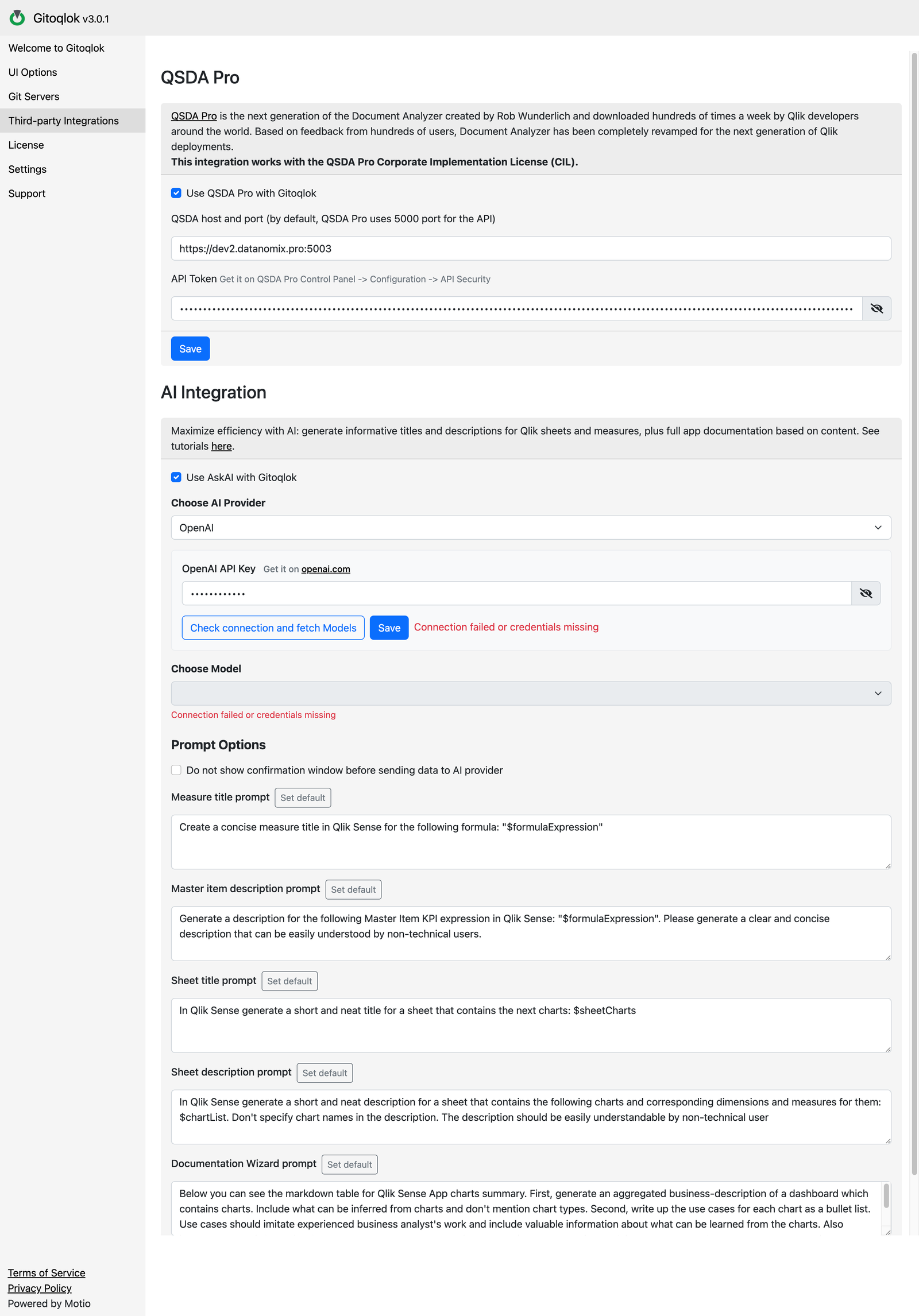
Connect QSDA Pro to the Qlik server
QSDA Pro must already have a connection to the Qlik Sense server or Qlik Cloud tenant of the app you analyse. Gitoqlok lists those connections when you create a new analysis.
What you get
- The QSDA Pro tab in the popup and side panel: the analyses of the current app with their flags grouped by category, and a New Analysis button. See QSDA Pro.
- Orange flag markers on the calculation-time badges of QSDA Calctime.
Without a QSDA Pro connection the tab explains that the Qlik server or tenant is not connected and links to this settings section; QSDA Calctime still measures calculation times on its own.