
Diff Viewer (Sheets)
The Diff Viewer shows two versions of a sheet next to each other: the live sheet on the left, a committed version on the right. Changed charts are highlighted, and changes can be merged into the live sheet chart by chart.
Open the Diff Viewer
On a sheet, click the green Gitoqlok button and choose Diff viewer.
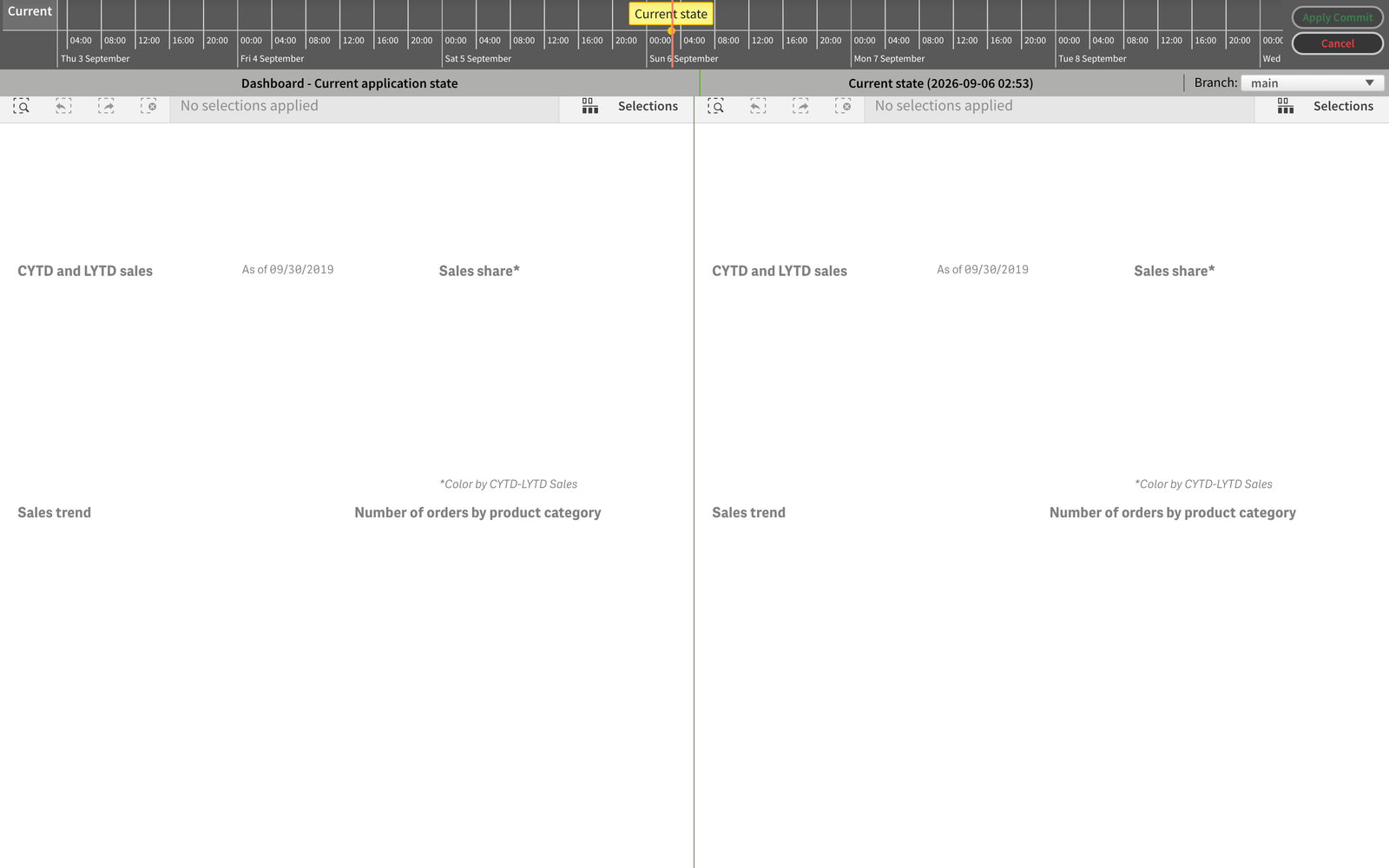
Pick the version to compare with
Use the timeline at the top to select a commit. The Branch selector on the right switches to another branch of the repository, so you can compare your sheet with a colleague's version of it.
Inspect a change
Charts that differ are outlined. Click one to see View/Merge Changes. The dialog offers two views:
- Table difference — every changed property as a row (measure expression, sort order, colours, …) with a check box to take it over.
- JSON split editor — the two property trees side by side with the differing lines highlighted; the Revert chunk arrows between the panes copy a block from the right side into the left.
Click Apply Merge to apply the selected changes to the live chart; it is marked changed in the left panel.
Finish
Apply Commit applies the entire right-hand version to the sheet. Cancel leaves the sheet as it is — merges applied with Apply Merge remain.
Related
- Sheets Comparator — find which sheets differ before opening the Diff Viewer.
- Load Script Diff — the same idea for the load script.
- Update and Roll Back — apply a whole commit to the whole app.