
Qlik Helper
Qlik Helper (also called Gitoqlok Helper) is a switch that lets Gitoqlok add its own controls to the Qlik pages. With the Helper off, Gitoqlok lives only in the popup and side panel. With the Helper on, you get version tools right where you edit sheets and scripts.
Turning it on
Any of these switches the Helper on or off for every Qlik tab:
- the Gitoqlok Helper check box in the popup header,
- the Turn on Qlik Helper switch in the hub popup,
- Turn on Gitoqlok Helper in the extension icon menu.
The Helper only injects CSS and HTML into the page rendered in your browser. It cannot change anything on the Qlik server by itself; every write goes through the same Engine API calls that the Qlik client uses, with your user's rights.
What it adds
App overview
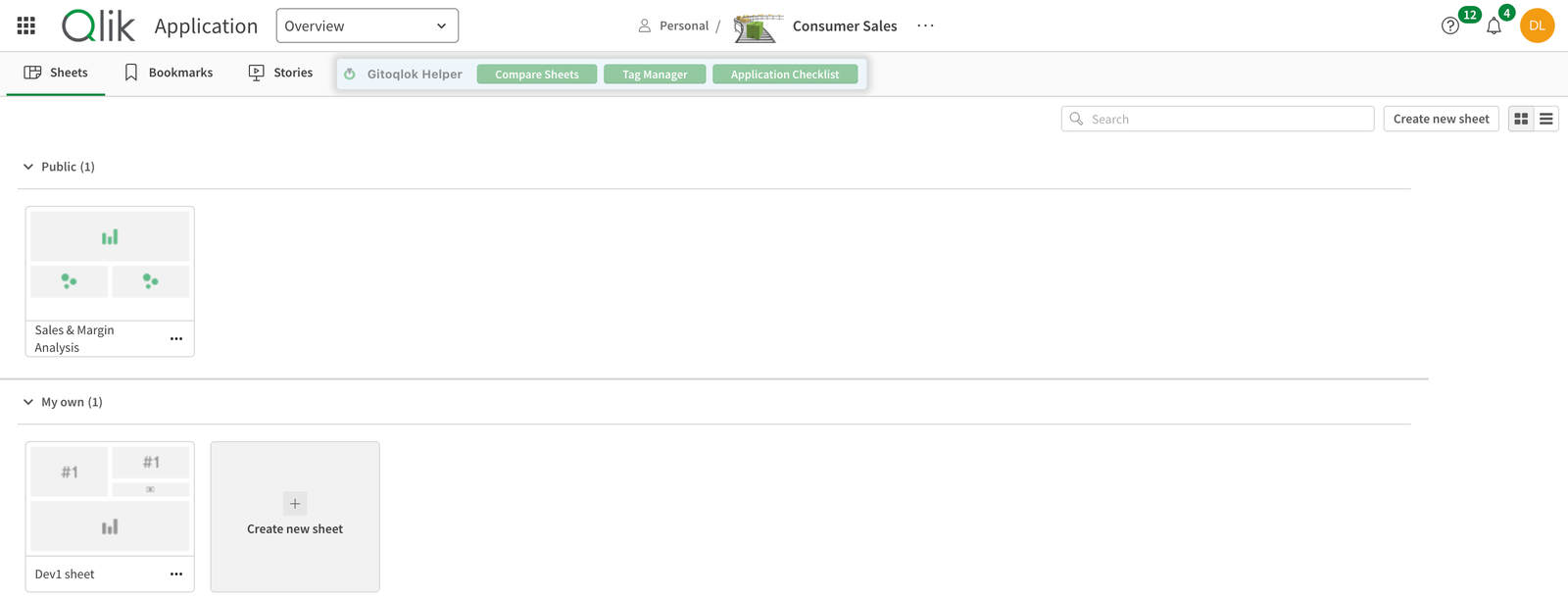
A Gitoqlok Helper bar next to the Sheets / Bookmarks / Stories tabs with Compare Sheets (Sheets Comparator), Tag Manager (Qlik Cloud) and Pre-deployment Checklist (tool).
Sheet view
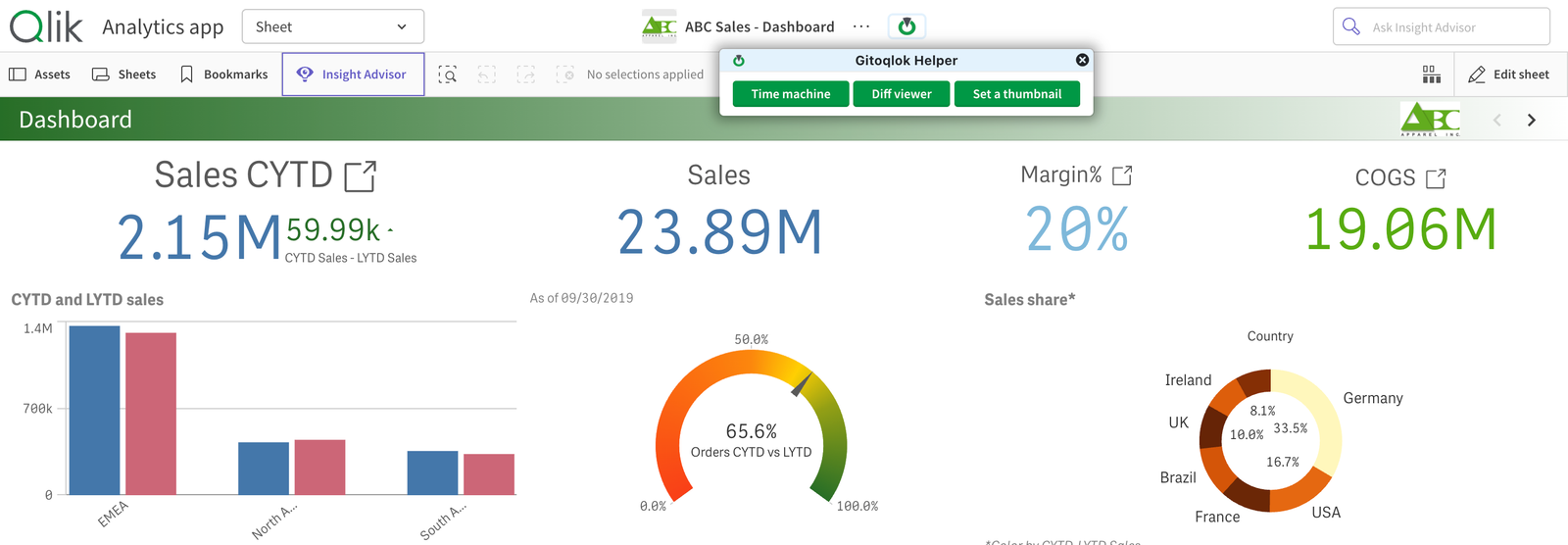
A green Gitoqlok button next to the app name opens a menu with Time machine, Diff viewer and Set a thumbnail.
Sheet edit mode
Master items are highlighted: red for broken expressions, orange for unused items, yellow for duplicates. See Unused Master Items. The master item and sheet property editors get Ask AI buttons. See Ask AI.
Data Load Editor

Toggle Theme (Dark Theme) and Diff Editor (Load Script Diff). FROM [lib://…/*.qvd] statements get QVD links, and load errors get Copy and Explain buttons (Load Errors).
Feature list
| Feature | Needs a repository | Qlik Cloud | Enterprise |
|---|---|---|---|
| Time Machine | yes | ✓ | ✓ |
| Diff Viewer (Sheets) | yes | ✓ | ✓ |
| Sheets Comparator | yes | ✓ | ✓ |
| Load Script Diff | yes (any repository) | ✓ | ✓ |
| Set a Thumbnail | no | ✓ | ✓ |
| Tags Manager | no | ✓ | – |
| Unused Master Items | no | ✓ | ✓ |
| QVD Links | no | ✓ | ✓ |
| Dark Theme | no | ✓ | ✓ |
| Load Errors: Copy & Explain | no | ✓ | ✓ |
| Ask AI | no (AI key) | ✓ | ✓ |