
Update and Roll Back
Update applies the commit selected in the commit selector to the app. The same button serves two purposes:
- Roll back — select an older commit and update: the app returns to that state.
- Pull — after a pull request was merged on the Git provider (or a colleague committed to your branch), click Refresh in the header, select the newest commit and update: the app receives the merged changes.
Choose what to update
The arrow next to Update opens Update includes:
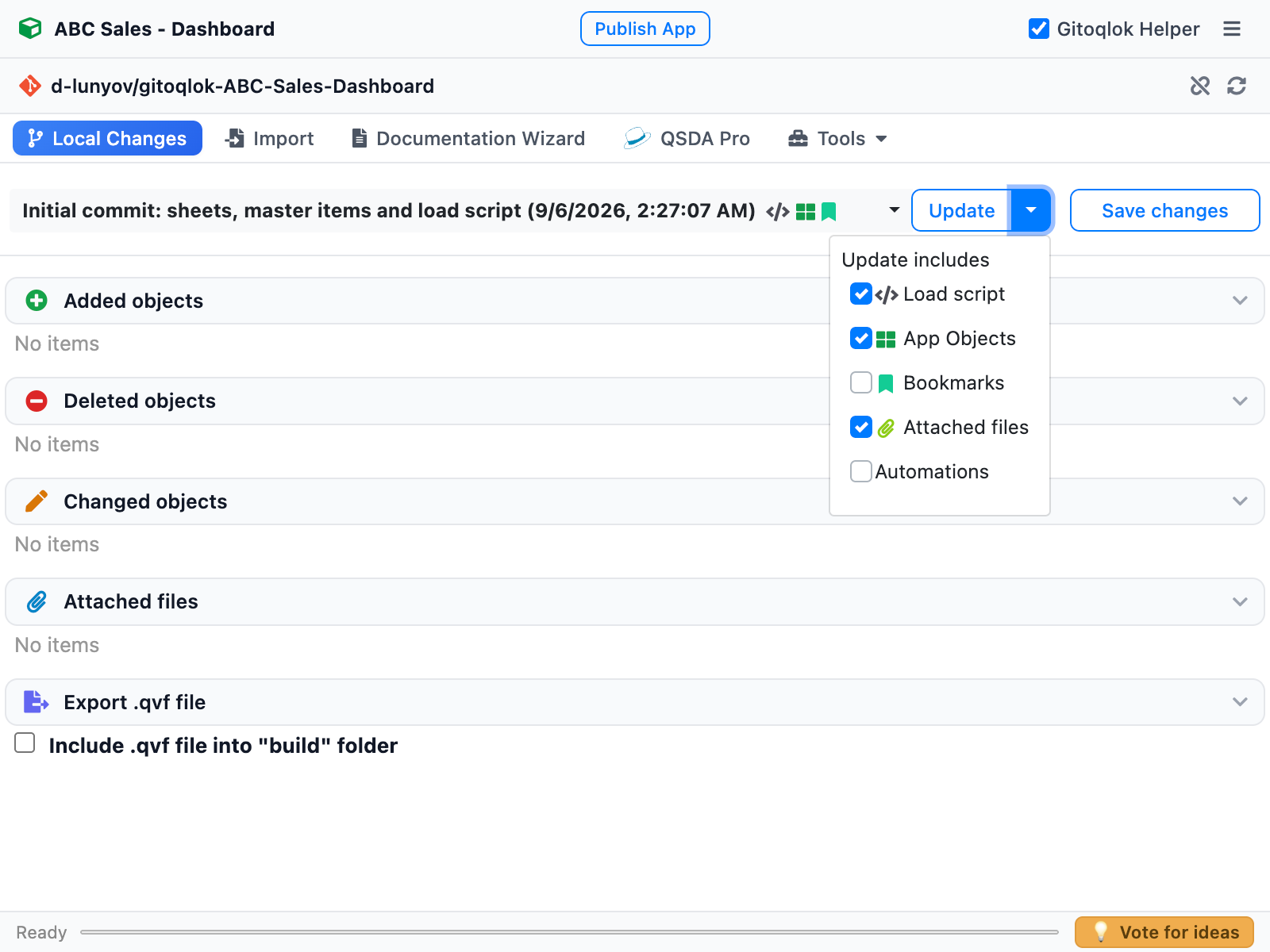
| Option | Effect |
|---|---|
| Load script | Replaces the script sections with those of the commit |
| App Objects | Sheets, master items, variables, stories, snapshots and app properties are created, updated or removed to match the commit |
| Bookmarks | Restores the bookmarks stored in the commit. Off by default, because bookmarks are often personal |
| Attached files | Uploads the app content files of the commit |
| Automations (Qlik Cloud) | Recreates the automations stored in the commit |
What happens
Confirm
If the app has uncommitted local changes, Gitoqlok warns: Your local changes to the application would be overwritten by update. Choose Commit and Update to save them first, Update (lost local changes) to discard them, or cancel.
For published apps a dialog reminds you of the recommended practice — make changes on a copy and republish — before continuing.
Apply
Gitoqlok downloads the commit as an archive, computes the differences and applies them through the Engine API. The status bar shows the progress. Objects that exist in the app but not in the commit are deleted; the popup asks for confirmation when it has to delete objects.
Reload the page
Sheets and master items refresh in place. On a Qlik Cloud Script page reload the browser tab to see the restored script. Data is not reloaded; run a reload if the script changed and you need fresh data.
Version markers
When the repository has newer commits than the one the app is on, the header of the popup marks the app as out of date. This is the signal that a colleague has pushed something (or a pull request was merged) and an update is due.
Alternatives to a full update
- To restore a single sheet or measure from an older version, use Import from the same repository and pick the commit.
- To inspect a version before applying it, open Time Machine or the Diff Viewer; the Diff Viewer can apply a single chart or a whole commit.
- To create a separate app from a commit instead of overwriting the current one, use Deploy from Git.