
Deploy from Git
Deploy from Git builds a new app from a repository. Use it to restore a backup, to move an app between servers or tenants, or to give every developer their own copy connected as a branch.
Open the hub popup
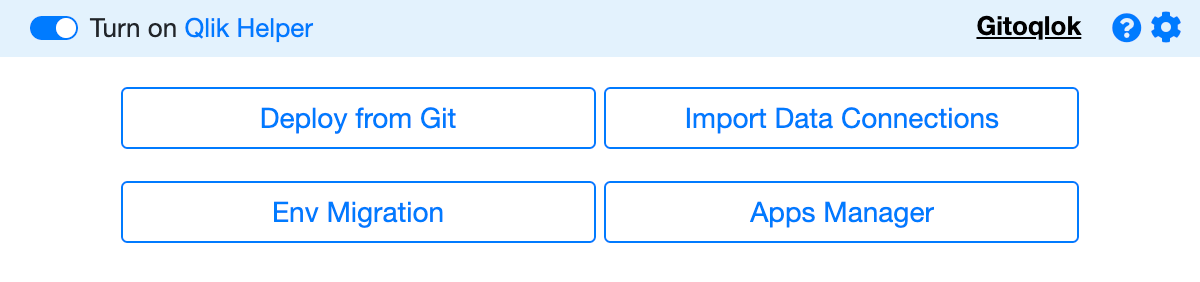
Go to the Qlik hub (Qlik Cloud or Enterprise), click the Gitoqlok icon and choose Deploy from Git.
Fill in the dialog
| Field | Meaning |
|---|---|
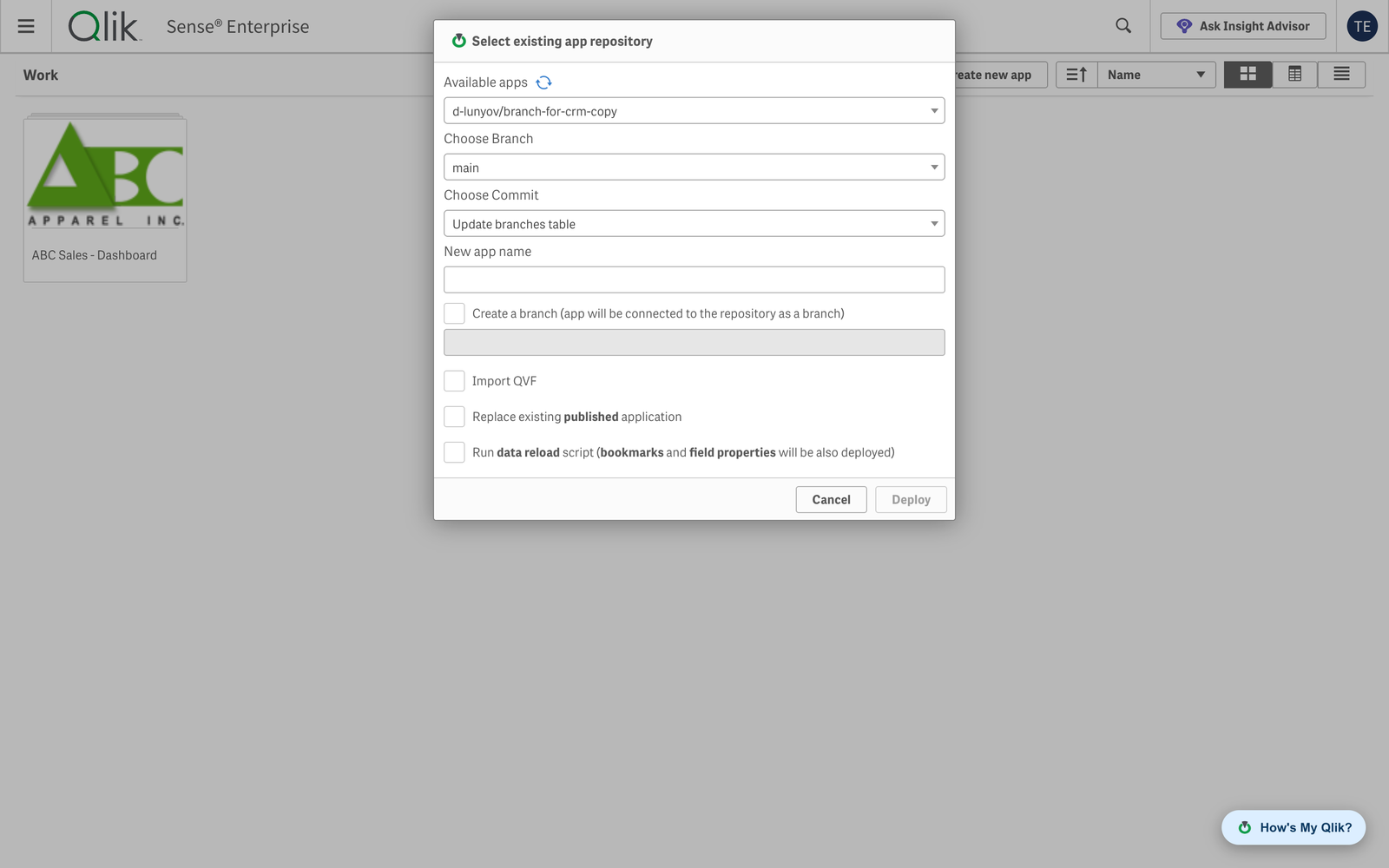
| Available apps | The repository to deploy from (the refresh icon reloads the list) |
| Choose Branch | The branch |
| Choose Commit | The version; the latest commit is selected by default |
| New app name | Name of the app to create |
| Create a branch | Connects the new app to the repository as a new branch with the given name, so you can commit from it right away. Leave it off to create an unlinked app |
| Import QVF | Restores the app from the .qvf stored in the build folder of that commit instead of rebuilding it from JSON (data included). Available only if the commit contains a QVF |
| Replace existing published application | Instead of creating a new app, replaces the selected published app. The replaced app is lost |
| Run data reload script | Reloads the new app after deployment; bookmarks and field properties can be applied only after a reload, so tick this when you need them |
Click Deploy
Gitoqlok creates the app, applies the load script and objects, uploads attached files and, if requested, creates the branch and reloads the data. The new app appears in your personal space or Work area.
Deploying between environments
Deploy from Git is environment-independent: the repository does not know which server the app came from. Commit on the source server (include Reload Tasks and Data Connections if you need them), open the target hub and deploy. Data connections are restored separately with Import Data Connections; on Qlik Sense Enterprise the Environment Migration tool covers tasks, streams, security rules and other QMC objects.
Notes
- The deployed app keeps the object IDs of the repository, so later imports and diffs match by ID.
- The QVF option needs Save QVF every commit enabled in Repository Settings (or the per-commit Export .qvf file option) at the time of the commit.