
Unused Master Items
Qlik Cloudsupported Qlik Sense Enterprisesupported Qlik Helperrequired Git servernot required
With Qlik Helper on, Gitoqlok scans the app whenever you open the Master items panel in sheet edit mode and outlines the items that deserve attention.
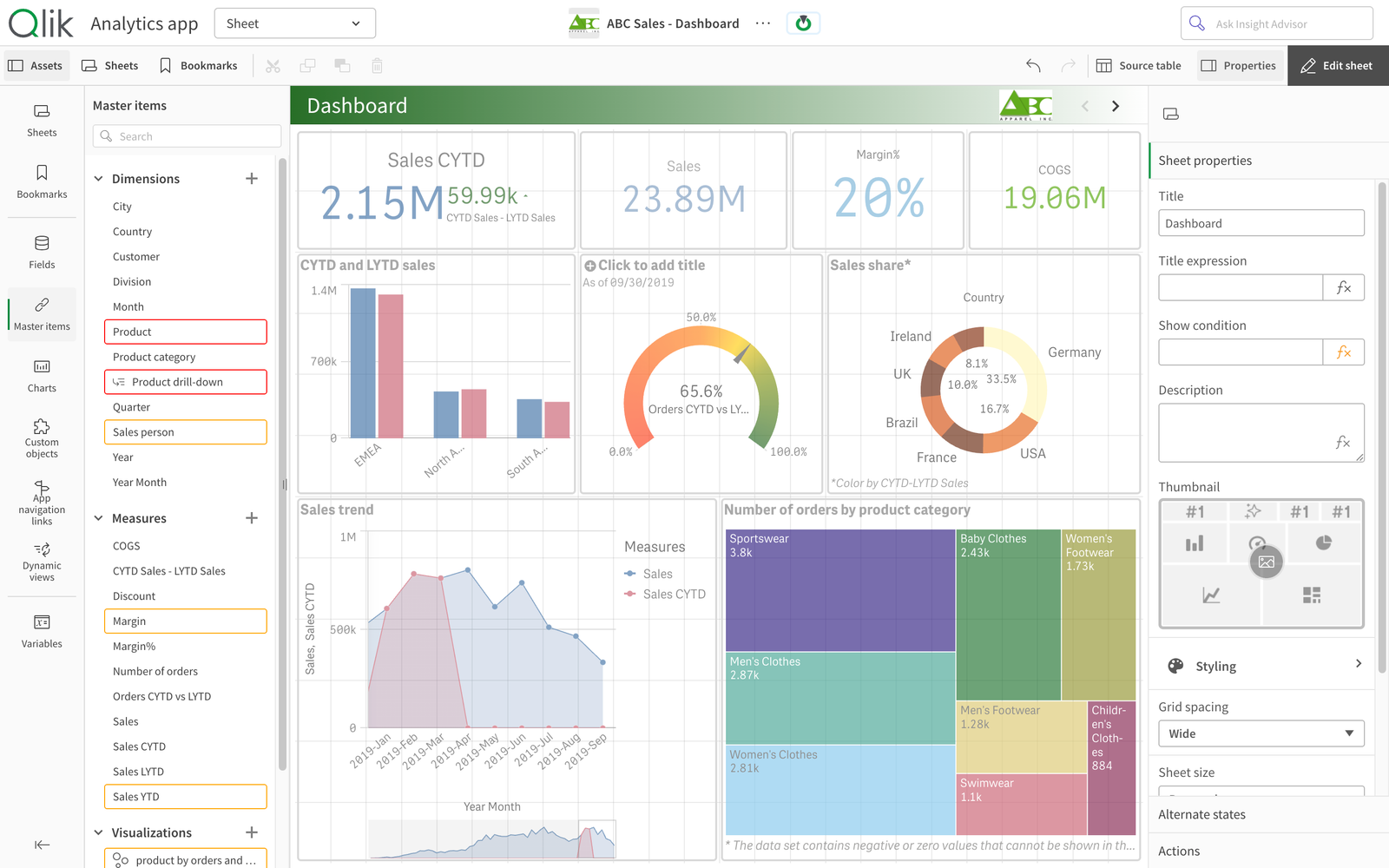
| Colour | Meaning |
|---|---|
| Red | The expression of the item does not evaluate (broken field reference, syntax error) |
| Orange | The item is not used on any sheet, story or master visualization — a candidate for cleanup. Items that appear only inside unused master visualizations or unused master measures are marked too |
| Yellow | Another master item has the same definition (duplicate) |
Hover an outlined item to see the reason in a popover. The scan follows nested references: a master measure used inside a master visualization that is itself used on a sheet counts as used.
The highlighting is informational only. Delete or fix the items with Qlik's own controls, and commit the cleanup so the change is in the history.