
Load Script Diff
The Diff Editor in the Data Load Editor shows the current script section on the left and a committed version on the right, with differences highlighted. Changes can be pulled from the right side into the current script one chunk at a time.
Open the Data Load Editor
Turn on Qlik Helper and open the Data Load Editor (or a Qlik Cloud Script). The Gitoqlok Helper bar appears in the toolbar.

Click Diff Editor
The editor splits. The left pane is the Current script version of the selected section; the right pane shows the same section from the repository.
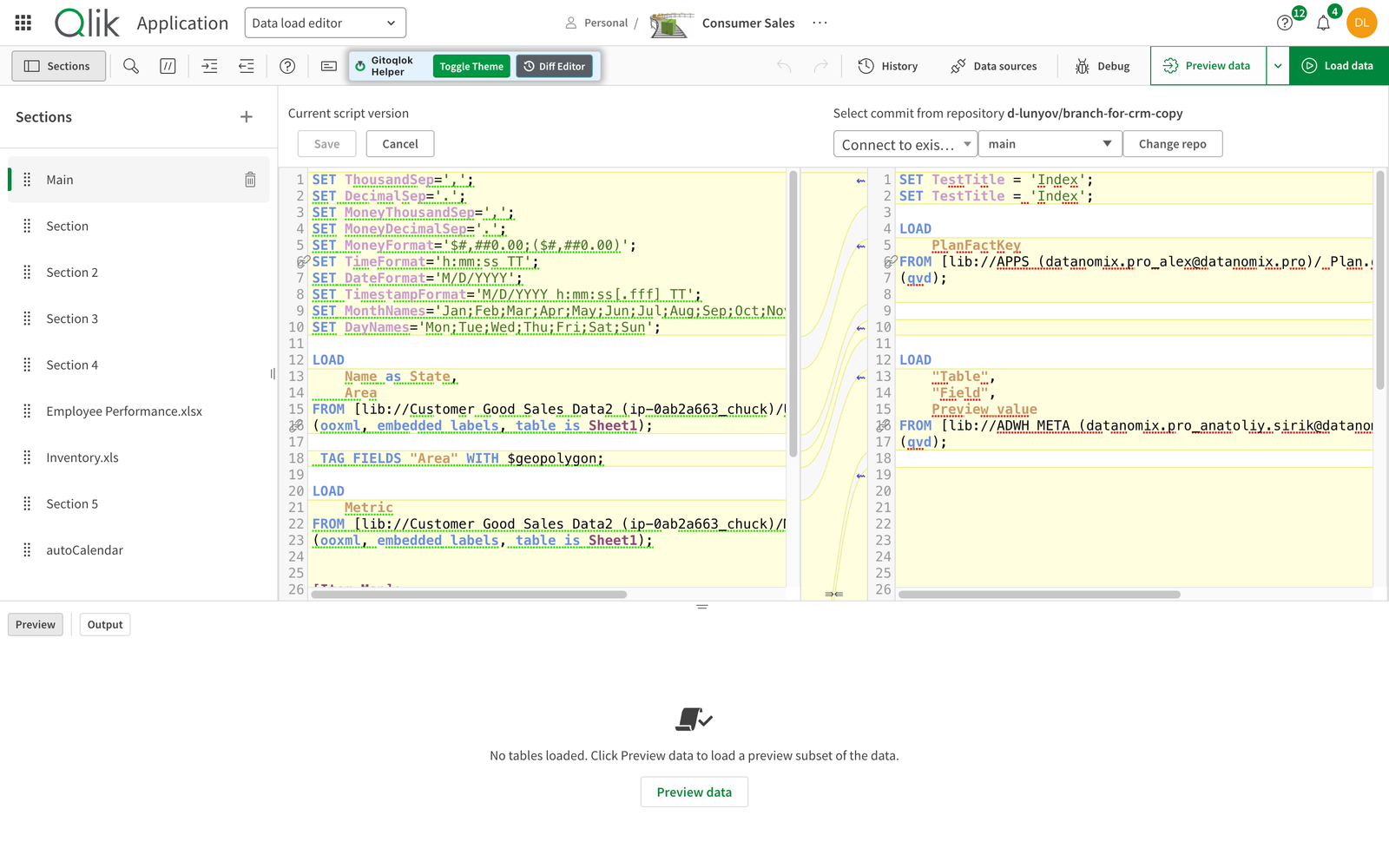
Choose what to compare with
- The commit dropdown lists the commits of the branch.
- The branch dropdown switches branches.
- Change repo opens the repository list, so you can compare with a script from any other app's repository. Tick Show only repos containing the selected tab in script to list only repositories that have a section with the same name.
Pull changes
Differences are highlighted; the arrows between the panes (Revert chunk) copy a block from the repository version into the current script. When you are done, click Save to write the script to the app, or Cancel to discard.
Notes
- Comparison is per section (script tab). Select another section in the left panel to compare it.
- The same view is used when Update would overwrite local script changes.