
Set a Thumbnail
Qlik Cloudsupported Qlik Sense Enterprisesupported Qlik Helperrequired Git servernot required
Thumbnail Assistance creates consistent sheet covers without leaving Qlik: a coloured card with a title, subtitle and icon, or a screenshot of the sheet cropped to Qlik's 14:9 thumbnail ratio.
Open the dialog
On a sheet click the green Gitoqlok button and choose Set a thumbnail.
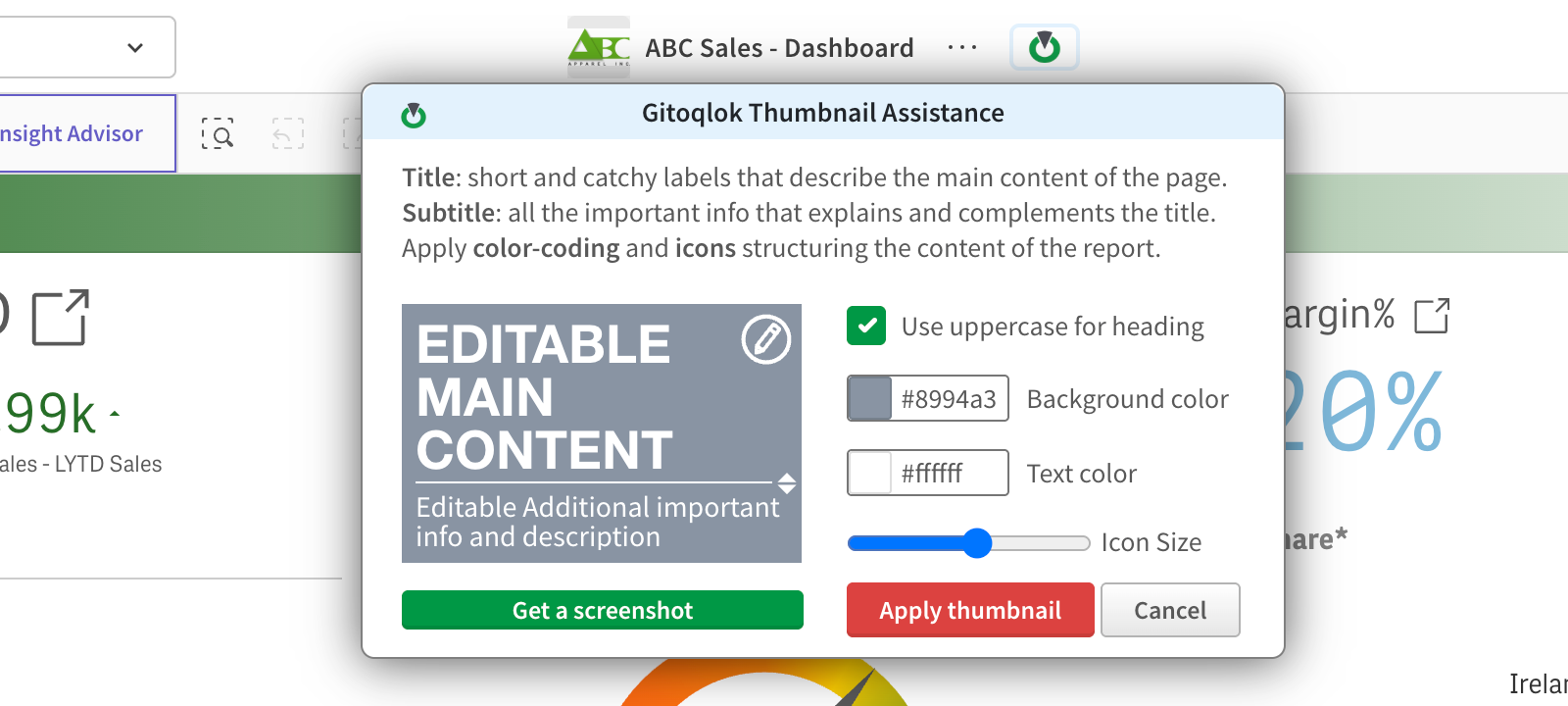
Design the card
- Click the main content text and the description text on the preview to edit them.
- Use uppercase for heading switches the title case.
- Background color and Text color accept any hex value; the swatches offer presets.
- The pencil icon on the preview opens an icon picker; Icon Size scales it.
Or take a screenshot
Get a screenshot captures the sheet; crop the area you want and it becomes the thumbnail.
Apply
Apply thumbnail uploads the image to the app's content and sets it as the sheet thumbnail. The thumbnail is versioned with the app (in appcontent/) unless thumbnail commits are disabled in Repository Settings.